Browse by category

You’ve probably thought about building your own project management workflow or CRM to get things moving faster. But then reality hits that you don’t know how to code. Actually, you are not alone. This is exactly where the best no-code app builders come in to bridge the gap.
I did the heavy lifting and tested dozens of apps so you don’t have to. The result? These 8 top picks. They allow beginners to build powerful custom tools just by dragging and dropping. Let’s look at the list and find your perfect match.
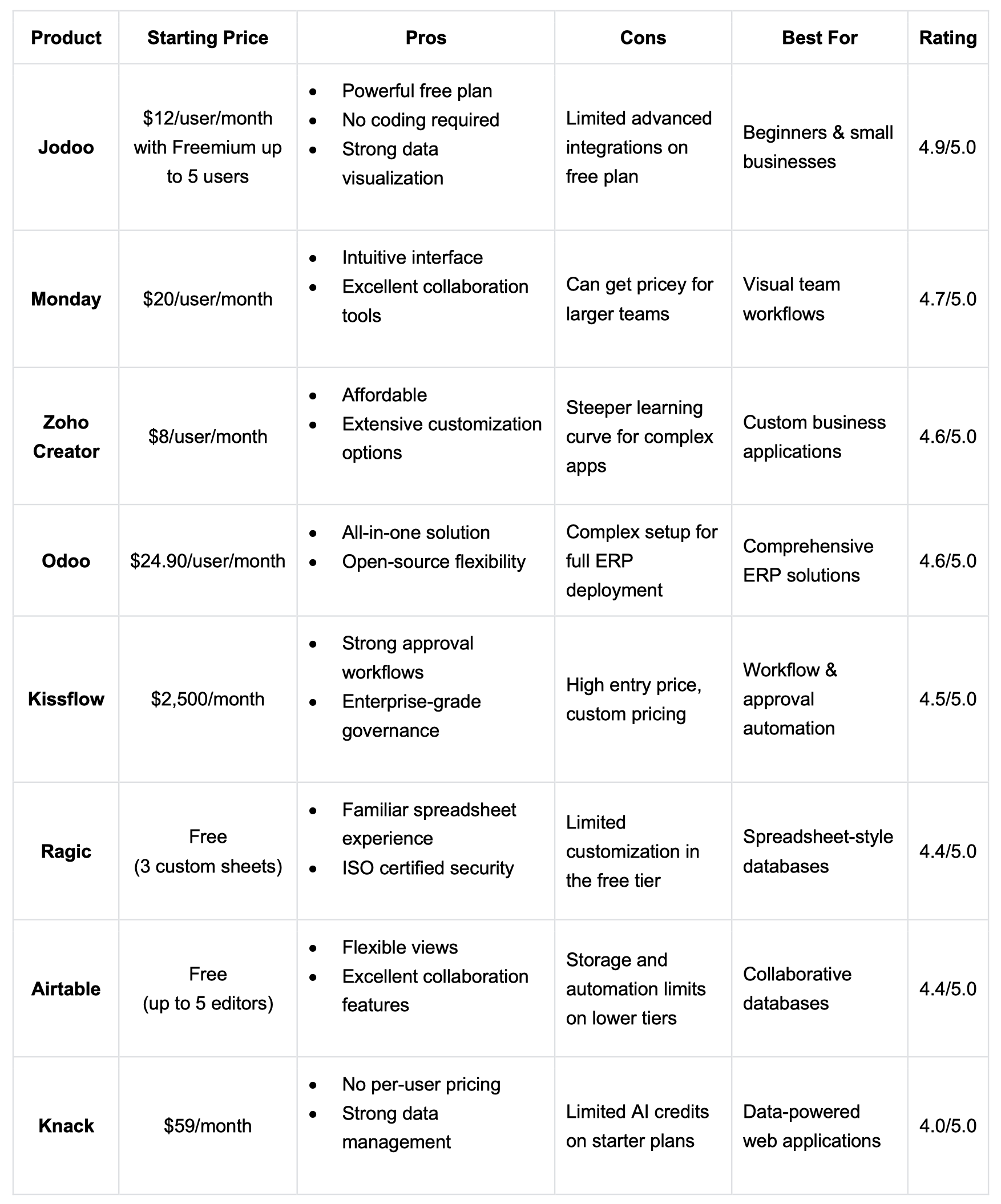
Comparison Among Best App Builders at a Glance
To avoid wasting your time, you might as well take a look at this comparison table. It will help you pinpoint the best app builder for your needs.
#1. Jodoo – Best for Beginners & Small Business
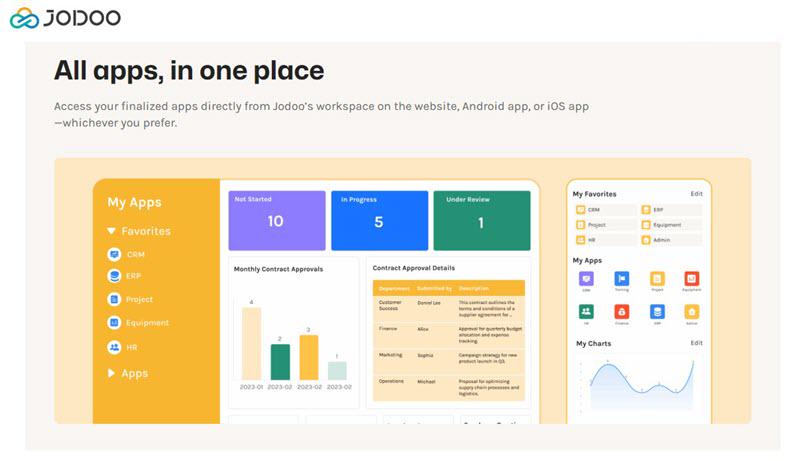
Jodoo is a standout choice if you want to start building immediately and easily. This best app builder for beginners is an intuitive SaaS platform that unifies data collection, automation, and visualization in one place.
The logic is simple: you build ‘Apps’ to house your projects, then fill them with forms and workflows using a visual builder. This makes complex tasks like data visualization accessible to anyone.
I was also impressed by their free plan. It’s surprisingly generous, offering unlimited app creation and 5 team seats right out of the gate. If you are a small team looking to manage inventory or a CRM with zero budget, Jodoo is likely your best starting point.
Key Features:
- Unlimited Apps & Forms: Create as many applications and forms as needed without hitting artificial limits
- Workflow Automation: Set up simple to complex approval processes with a visual workflow designer
- Real-time Dashboards: You can build customizable dashboards with stats, charts, Gantt views, and calendar displays
- 5-User Collaboration: Jodoo’s Free plan includes 5 seats for team collaboration with role-based permissions
- No-Code SQL: Visualize your data with an easy drag-and-drop feature to build your own report.
- Mobile Apps: You can enjoy native iOS and Android apps anywhere without a computer.
- Integration Ready: Connect to 6,000+ apps via Zapier & Make integration, which requires an Enterprise plan or API add-on
#2. Monday – Best for Visual Team Workflows
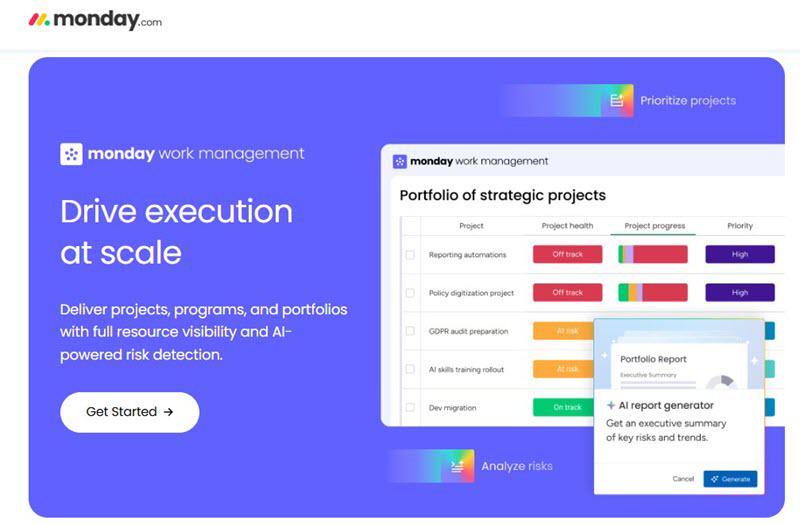
Monday is especially suitable for workflow visualization. It’s a visual Work OS that transforms complex projects into intuitive, customizable boards and dashboards. Its advantages lie in making teamwork transparent and trackable.
You can view the same data as a Kanban board, Gantt chart, timeline, or calendar. This is really flexible and lets every team member see the workflow in a way that is suitable for themself. Monday’s Automation feature also helps you reduce manual updates, and dashboards pull data from multiple boards into a single overview, providing clarity at a glance.
Key Features:
- Multiple Visual Views: Grid, Kanban, Timeline, Gantt, Calendar, and Chart views for different team preferences
- 25K Automation Actions: Extensive automation capabilities on the Pro plan with customizable triggers
- Dashboard Widgets: Combine data from multiple boards into executive summaries and real-time reports
- Unlimited Items: No limits on tasks, projects, or customer records on Basic and above
- AI Agents: You can deploy AI assistants for lead scoring, email composition, and workflow optimization
- 200+ Templates: There are pre-built templates for project management, CRM, marketing, and HR workflows
#3. Zoho Creator – Best for Custom Business Apps
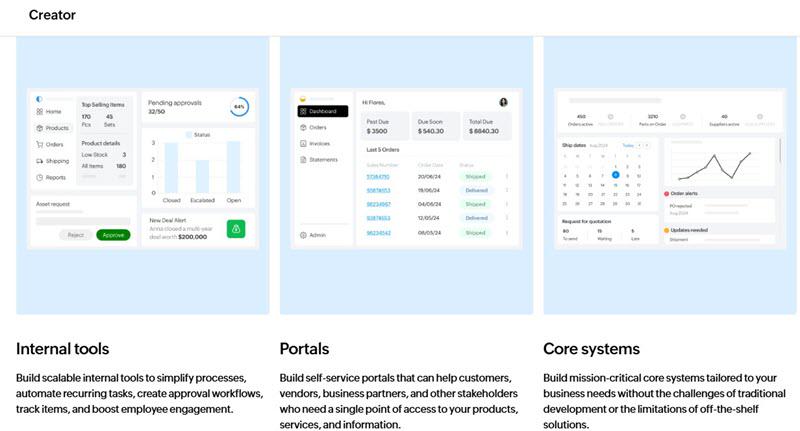
Zoho Creator is the go-to low-code platform when you need a custom-built solution that generic, off-the-shelf software simply can’t deliver. It is designed specifically for building deeply tailored business applications, ranging from internal tools for HR to external customer portals.
Efficiency is the key driver here. The CoCreator AI assistant is a significant time saver, instantly turning your natural language ideas into functional app blueprints. This cuts down the initial build time dramatically. You can then quickly layer in complex data models and multi-step automations that perfectly map to your operations. When you hit publish, the application is immediately available to all users across all major platforms without any extra effort.
Key Features:
- AI App Builder (CoCreator): Generates app foundations from natural language input, providing smart suggestions for fields and workflows.
- Multi-Experience Deployment: Your apps are automatically published as fully native mobile apps for iOS and Android alongside the web version.
- 600+ Integrations: Seamlessly connect to services within the Zoho suite and outside tools like Salesforce and Google.
- Custom Workflows: The Enterprise plan provides a high threshold of up to 600 automation actions per user monthly for heavy operational use.
- White-Labeling: Rebrand your applications completely with custom logos, domains, and multi-language support for international users.
- Enterprise Security: Compliant with major security standards (ISO/IEC 27001, SOC 2, HIPAA) and features comprehensive data encryption.
#4. Odoo – Best for All-in-One ERP Solutions
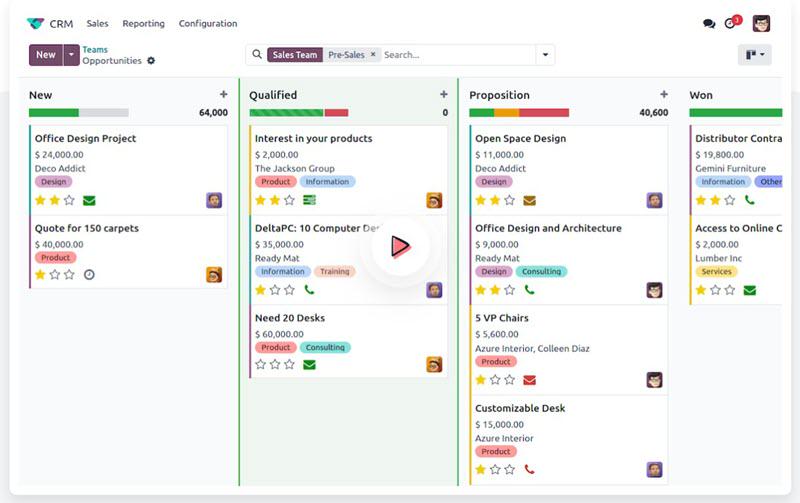
Tired of juggling separate, non-communicating software for every department? Odoo is the all-in-one ERP solution designed to unify your entire business data instantly. It’s an integrated, open-source suite covering everything from CRM and sales to accounting and HR.
This best app builder’s core strength is the smooth data flow between sales channels and operations. Your online store and POS system automatically share the same product catalog and sync inventory levels instantly across the entire ERP. This modular setup means you can start with retail and easily add HR or project management later, customizing forms and reports visually using Odoo Studio.
Key Features:
- 40+ Integrated Modules: A complete ecosystem including CRM, Sales, Inventory, Accounting, Manufacturing, and HR.
- Open Source Foundation: A robust Community edition allows for unlimited code-level customization if you have the technical resources.
- Manufacturing (MRP): Deep production capabilities including Bill of Materials (BOM), routing, work centers, and quality checks.
- Point of Sale: A POS system that works even when offline and automatically syncs transactions with inventory and accounting.
- E-commerce Integration: A built-in online store that feeds directly from your master product catalog and inventory.
#5. Kissflow – Best for Workflow & Approval Automation
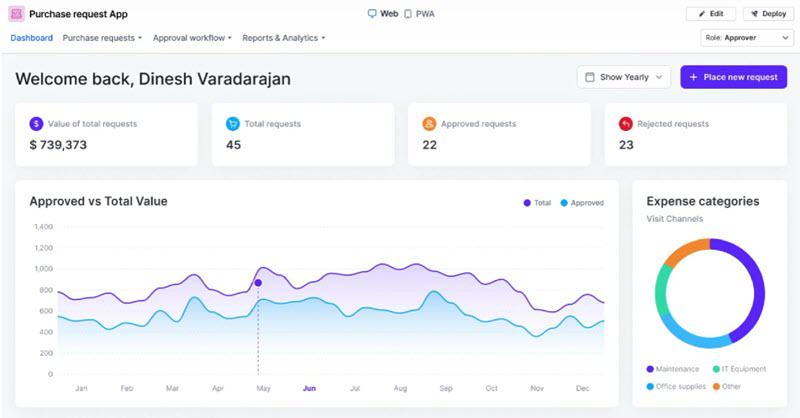
If chaotic approvals and messy paper trails are slowing your team down, Kissflow specializes in fixing that. This best app builder is designed to reduce workload in business processes to help both employees and IT leaders build and manage essential workflows effectively.
Kissflow excels at taking messy, manual procedures like purchase orders, onboarding, or invoice approvals and turning them into clean, digital workflows for anyone. You can easily model multi-step processes with specific rules and deadlines. Crucially, it prevents “shadow IT” by giving administrators clear visibility over every app built within the organization.
Key Features:
- Visual Workflow Builder: Map out approval chains and conditional logic using a clear, drag-and-drop flowchart designer.
- Pre-Approval Forms: Capture all necessary data upfront with structured forms before a request enters the approval loop.
- Automated Escalations: Keep processes moving by setting SLA timers that automatically nudge managers or escalate tasks if they stall.
- Case Management Boards: Handle unstructured work and ad-hoc tickets using flexible, Kanban-style boards.
- 500+ Integrations: Connect seamlessly to your existing tech stack via built-in connectors or the API.
#6. Ragic – Best for Spreadsheet-Style Databases
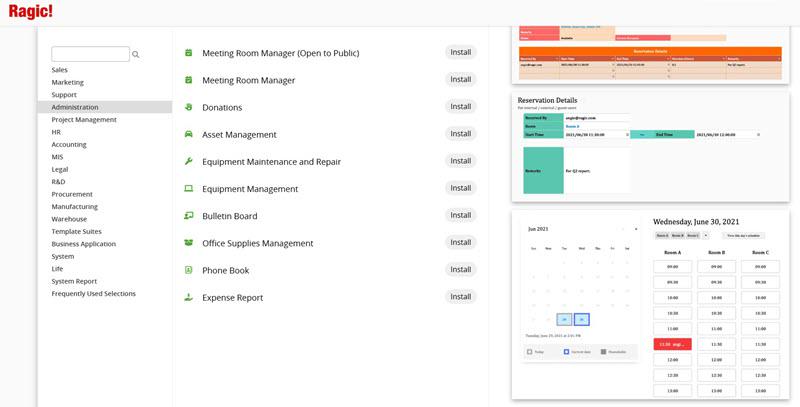
Ragic is the perfect “next step” for teams that are comfortable with spreadsheets but have outgrown their capabilities. It is a no-code builder that retains the look and feel of Excel, allowing you to create structured, relational database applications without having to learn a new interface.
The platform’s main strength lies in turning scattered spreadsheet files into a cohesive system. While you still design forms and input data in a familiar grid view, you gain the ability to link sheets, automate approvals, and manage user access granularly. This removes the intimidation factor usually associated with databases, letting teams upgrade from simple shared files to a secure, central system with very little friction.
Key Features:
- Spreadsheet Interface: Design your database apps just like you are editing a spreadsheet cell with no coding required.
- Unlimited Templates: Install pre-built templates for CRM, Project Management, and more at no extra cost.
- Offline Mobile Apps: Native iOS and Android apps let you work without a computer or check data anywhere.
- Approval Workflows: Set up sign-off processes that trigger email or mobile notifications with a single click.
- On-Premises Deployment: Offers a self-hosted version for organizations with strict data compliance or internal network needs.
#7. Airtable – Best for Collaborative Databases
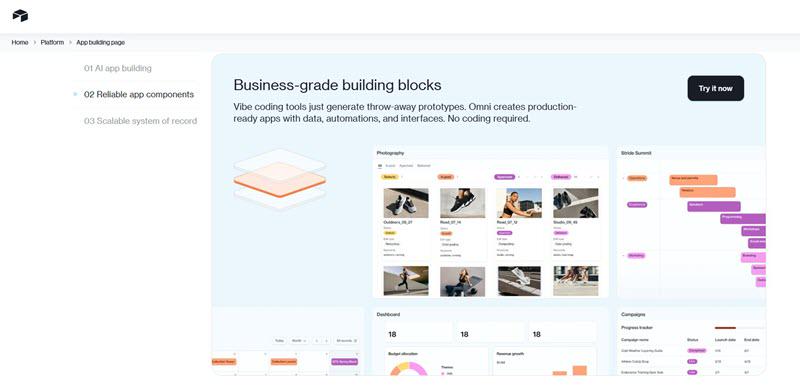
Airtable is basically a spreadsheet on steroids. It gives you the power of a serious database, but it’s user-friendly enough that you don’t need an IT degree to set it up. It’s fantastic for organizing anything from content calendars to inventory lists.
What sets it apart is how it handles collaboration through “Views.” You aren’t forcing the whole team to look at a dense grid. Developers can use a Kanban board while executives check a Timeline. It creates a single source of truth that actually adapts to how different departments prefer to work, keeping everyone aligned in real-time.
Key Features:
- Relational Databases: Build deep relationships between data sets using records, lookups, and rollups instead of fragile formulas.
- Multiple Views: Visualize your data exactly how you need to—whether that’s a Kanban board, Calendar, Gantt chart, or Gallery.
- 100K Automation Runs: High-volume automation limits on the Business plan mean you can script complex logic without hitting a ceiling.
- AI Integration: Embed AI into your operations with generous credit limits to automate analysis and content generation.
- Sync Integrations: Keep your ecosystem connected with robust two-way syncs to external enterprise systems.
- Extension Marketplace: Access a library of apps to extend capabilities, from org charts to advanced mapping tools.
#8. Knack – Best for Data-Powered Web Apps
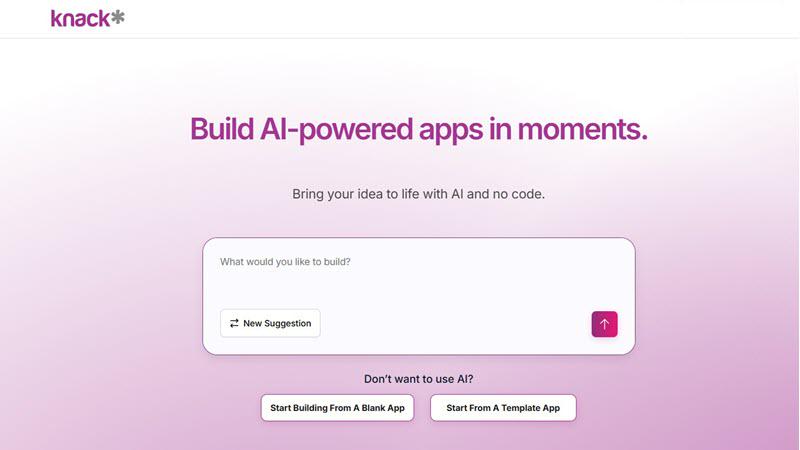
Knack is the best no-code web app builder if your goal is to turn structured data into a professional web application without writing code. It’s a platform designed specifically to transform your data into interactive customer portals, internal tools, and data management systems that are accessible through any web browser.
What sets Knack apart is its pricing model combined with its database power. Unlike most competitors that charge per user, Knack lets you build relationship-based databases and wrap them in a custom interface for unlimited users. This makes it perfect for member directories, vendor portals, or field service apps where you need to give secure access to hundreds of people without worrying about seat costs.
Key Features:
- Unlimited Users: Stop counting heads—Knack’s model lets you add unlimited users without price hikes.
- AI App Builder: Speed up the build process by chatting with the AI to create your app.
- Enterprise Database: A fully managed relational database that takes care of security and performance scaling.
- Customer Portals: Give clients or partners a dedicated, branded login area to interact with your business.
- 500+ Integrations: Connect your app to the rest of your software ecosystem using powerful backend workflows.
- Role-Based Access: Control data visibility with precision, ensuring users only see what they are supposed to see.
[Tip] How to Choose the Best No-Code App Builder?
With the landscape of platforms constantly expanding, selection can be difficult. Based on extensive testing, I recommend evaluating these tools through the following three lenses to ensure strategic alignment.
1. Define Your Project Needs
Clarity is key. Start by defining the scope: are you solving a single departmental issue or building an enterprise-wide system? Identify your primary use case (e.g., CRM, Project Tracking) and list critical integrations required to maintain data flow. Furthermore, project your data volume needs. You need a platform that accommodates your growth trajectory, not just your current state.
2. Evaluate Builder Features
Dig into the technical details. Can you tweak the design and data fields until they fit your process perfectly? Test the automation tools to see if they handle complex rules. Check the user permissions to ensure you can control access down to the specific field. You should also look at the backend structure to see how it connects different data sets. Finally, confirm their security badges (like SOC 2) match your safety needs.
3. Consider the Total Cost
View the cost as a long-term investment. The base subscription is only part of the equation. Calculate the cost implications of scaling users, data storage, and automation volume. Additionally, factor in the “time cost” of implementation and training. A platform with a steeper learning curve might cost you more in productivity than you save in subscription fees.
Conclusion
Choosing the best app builder isn’t about finding the “best” one on paper. It’s about finding the one that speaks your language. After testing these eight, here is my takeaway on where they fit best:
- Jodoo: The strategic choice for cost-effective scaling and startups.
- Monday: The leader in visual workflow management and team transparency.
- Zoho Creator: The powerhouse for highly customized, complex business applications.
- Odoo: The solution for total business integration and ERP functionality.
- Kissflow: The specialist for governance, compliance, and approval workflows.
- Ragic: The logical next step for data-heavy teams upgrading from Excel.
- Airtable: The top contender for flexible, collaborative data management.
- Knack: The professional standard for external-facing web applications.
These platforms have effectively democratized software creation. By clearly defining your project scope and growth plans, you can select a partner that not only solves today’s challenges but scales seamlessly with your future success.