Updated for 2026. This guide is for offices, schools, facilities teams, front desk teams, operations managers, property managers, and administrators that need a clearer way to manage visitors. It is especially useful if visitor records still live in paper logbooks, spreadsheets, reception notes, chat messages, or disconnected security systems.
Visitor management sounds simple until something goes wrong. A guest arrives before the host is ready. A contractor enters without the right approval. A visitor badge is issued but not returned. A school visitor is checked in, but the departure time is never recorded. Later, the team has to reconstruct who was on site, why they were there, who approved them, and whether they left.
A strong visitor management process connects check-in, identity review, host approval, badge handoff, visit status, check-out, and record retention. The goal is not to slow down the front desk. The goal is to make every visit easier to approve, track, and verify.
What is a visitor management process?
A visitor management process is the structured workflow used to register, approve, monitor, and close out visits to a building, office, school, facility, jobsite, or restricted area. It helps teams know who is on site, who they are visiting, why they are there, and whether the visit has been completed.
A useful visitor management process should answer these questions:
- Who is the visitor?
- Why are they visiting?
- Who is the host or responsible contact?
- Does the visit require approval?
- Was a badge, pass, or access credential issued?
- What time did the visitor enter?
- What time did the visitor leave?
- Is there a clear record if the visit needs to be reviewed later?
Visitor management vs visitor registration vs visitor log
These terms are related, but they do different jobs.
| Record type | Hauptzweck | Best use case |
|---|---|---|
| Visitor registration | Captures visitor details before or during arrival. | Front desk check-in, pre-registration, meetings, interviews, deliveries, and contractor visits. |
| Visitor management process | Routes the visit through approval, host notification, access control, badge handoff, and check-out. | Offices, facilities, campuses, schools, and controlled-access areas. |
| Visitor log | Maintains a searchable record of visits, entry times, exit times, hosts, and visit outcomes. | Security review, audit history, emergency accountability, and operational reporting. |
A practical visitor management workflow
Most organizations can start with a simple workflow and add controls only where risk requires them.
- Pre-register the visitor when possible. Capture the visitor name, company, purpose, date, expected arrival time, host, and any access requirements.
- Verify visitor details at arrival. Confirm identity, appointment details, visitor category, and whether the host expects the visit.
- Route approval if needed. Send the visit to the host, front desk, security, school administrator, facilities manager, or other approver.
- Notify the host. Let the host know the visitor has arrived, is waiting, has been approved, or needs attention.
- Issue a badge or pass. Record badge number, access level, visitor category, escort requirement, and allowed area if relevant.
- Track visit status. Use clear statuses such as scheduled, arrived, waiting for approval, approved, checked in, denied, checked out, or overdue.
- Record check-out. Capture departure time, badge return, notes, unresolved issues, and final visit status.
- Review exceptions. Follow up on denied visits, missing check-outs, unreturned badges, unusual access requests, or repeated visitor issues.
1. General visitor management: keep front desk and host handoffs clear
For offices, warehouses, facilities, coworking spaces, and business locations, visitor management usually starts at the front desk. The challenge is making sure reception, hosts, security, and operations teams all have the same visit record.
A general visitor management record should include:
- Visitor details: visitor name, company, phone number, email, visitor category, and ID type if required by policy.
- Visit purpose: meeting, interview, delivery, contractor work, maintenance, vendor visit, tour, audit, or other reason.
- Host details: host name, department, email, phone number, office location, and approval authority.
- Schedule details: expected arrival time, expected departure time, appointment date, and meeting location.
- Approval status: pre-approved, pending host approval, approved, denied, cancelled, or escalated.
- Badge details: badge number, badge type, access area, issue time, return status, and lost badge note.
- Check-in and check-out: arrival time, check-in owner, departure time, check-out owner, and final status.
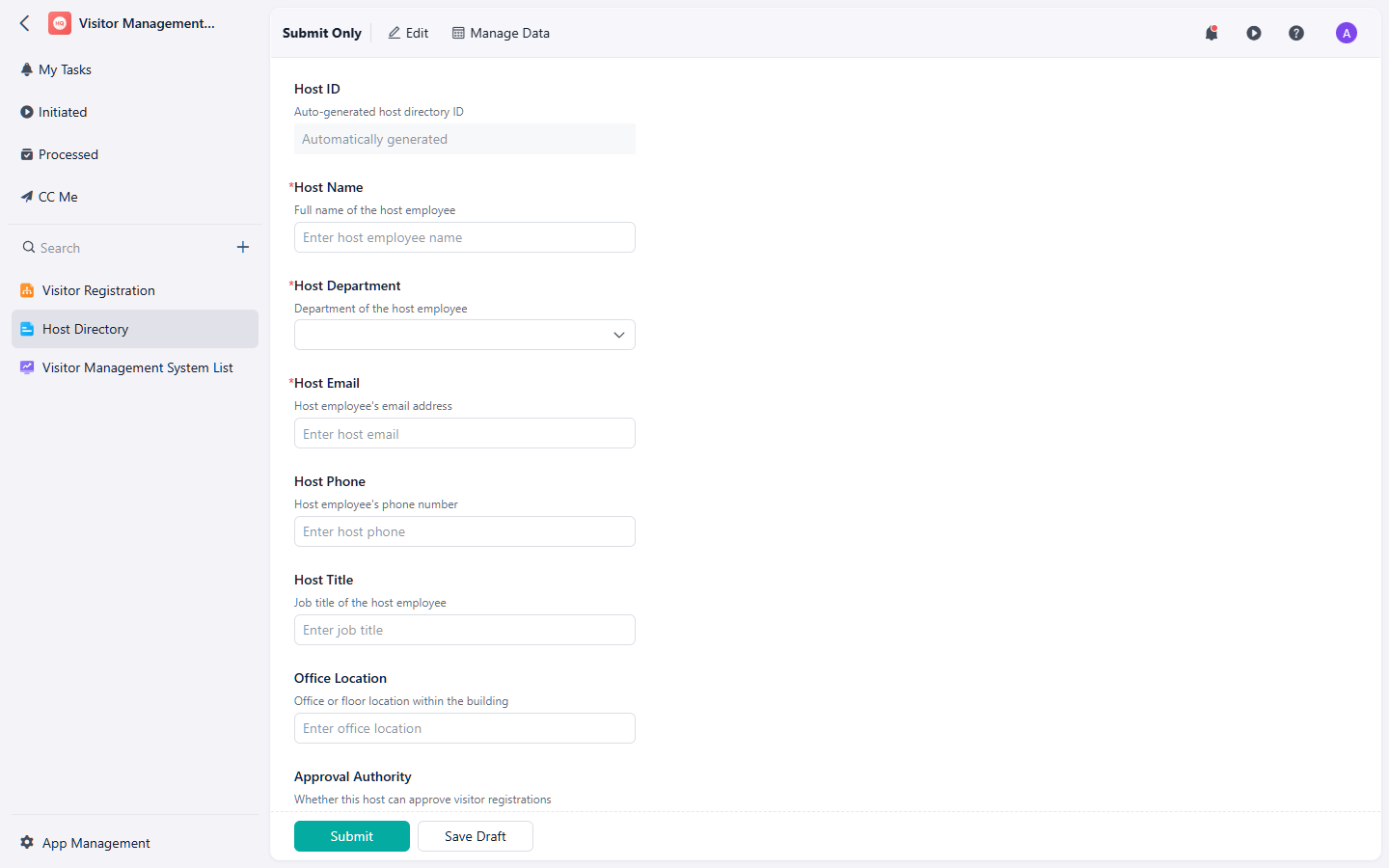
A visitor management workflow helps connect registration, host approval, badge handoff, and visit history.
If your team needs a structured starting point, the visitor management system template can help organize visitor registration, host details, approval routing, and visitor records in one workflow.
2. School visitor management: add stronger controls for campus safety
School visitor management has a different risk profile from a normal office visit. Schools may need to manage parents, guardians, vendors, substitute staff, volunteers, contractors, district staff, emergency responders, and community visitors. The process should be simple enough for front office staff to use every day, but controlled enough to support student safety and accountability.
A school visitor management process should usually include:
- Visitor identity: visitor name, phone number, organization, ID type, and ID number if collected under school policy.
- Visitor category: parent or guardian, contractor, vendor, volunteer, district staff, guest speaker, delivery, or emergency visitor.
- Visit purpose: student pickup, meeting, classroom visit, maintenance, event, interview, delivery, or scheduled appointment.
- Student or host reference: student name, teacher, staff host, department, or office destination where appropriate.
- Approval route: front office approval, host approval, administrator approval, or security review.
- Access control: badge number, escort requirement, allowed area, restricted area notes, and check-in location.
- Departure record: check-out time, badge return, notes, and unresolved follow-up if the visitor did not check out properly.
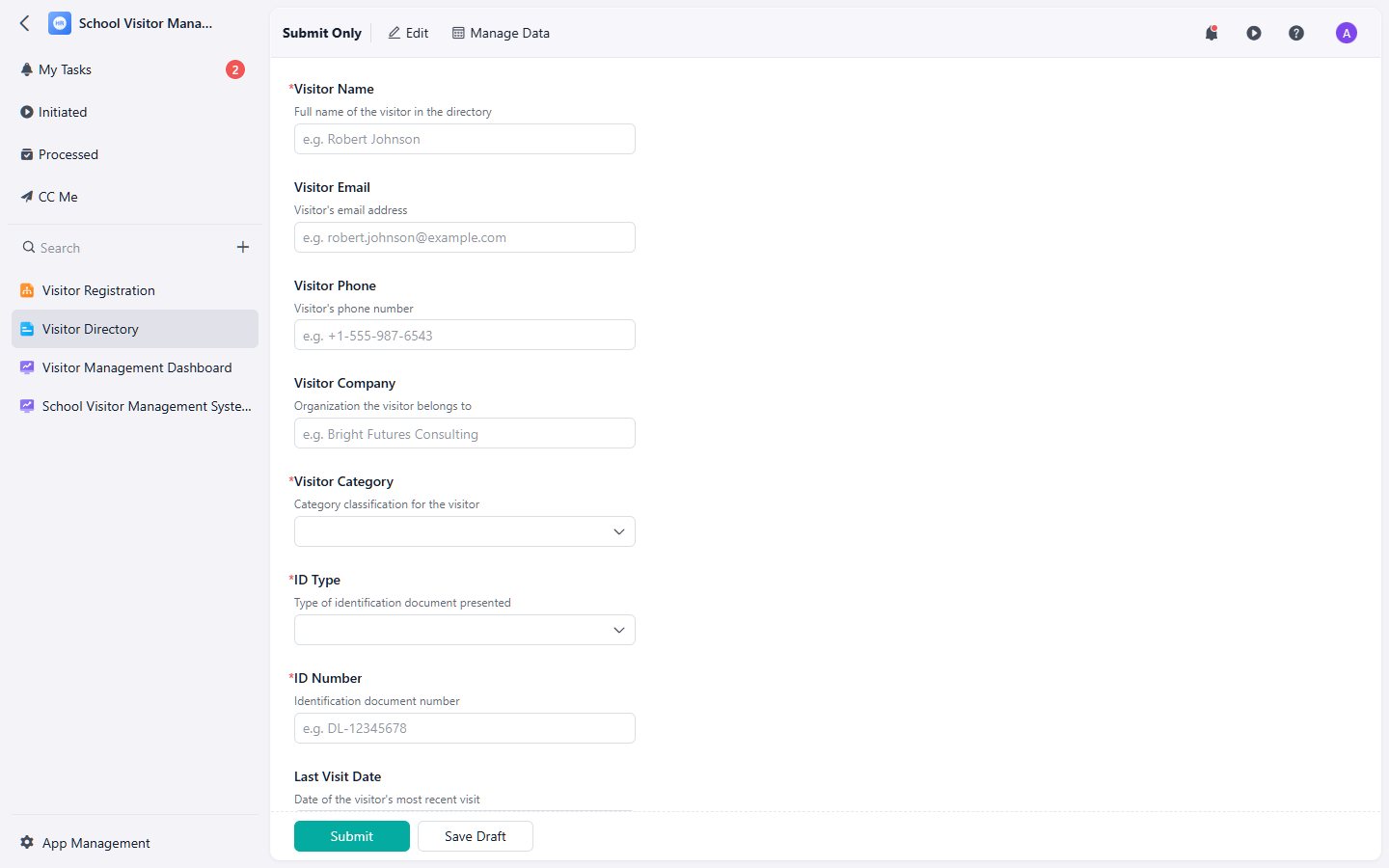
School visitor records should make visitor identity, purpose, approval, access, and departure easier to verify.
Der school visitor management system template can help schools manage check-in, approval routing, host notification, badge handoff, and departure logging in a more consistent process.
What should a visitor check-in form include?
A visitor check-in form should collect enough information to support security, communication, and visit history without asking for unnecessary data.
- Visitor name: full name of the person entering the site.
- Organization: company, school, agency, vendor, contractor, or visitor affiliation.
- Contact information: phone number or email when needed for visit coordination.
- Host name: employee, teacher, staff member, department, or site contact responsible for the visit.
- Visit purpose: meeting, service work, delivery, interview, pickup, event, inspection, or other reason.
- Arrival time: date and time the visitor checked in.
- Expected departure: estimated end time or visit window.
- Badge or pass: badge number, access level, issue time, and return status.
- Approval status: approved, pending, denied, cancelled, or requires escort.
- Check-out time: date and time the visitor left the site.
Common visitor management mistakes
- Only recording arrivals: A visitor log is incomplete if it does not capture check-out or departure status.
- Relying on paper logs alone: Paper can work for very small sites, but it is harder to search, review, protect, and report on later.
- Not notifying the host: Visitors can sit waiting while the host is unaware, or enter before the host is ready.
- Using one process for all visitors: A delivery driver, parent, contractor, auditor, and interview candidate may need different review steps.
- Issuing badges without tracking returns: Badge return status matters for access control and follow-up.
- Collecting too much personal information: Visitor records should support legitimate operational needs without gathering unnecessary data.
- Leaving exceptions unmanaged: Denied visits, missing check-outs, unreturned badges, or unknown visitors should create follow-up actions.
Best practices for visitor management in 2026
- Define visitor categories: Use categories such as employee guest, vendor, contractor, delivery, parent, volunteer, official visitor, or emergency responder.
- Use pre-registration for planned visits: Pre-registration reduces front desk confusion and helps hosts prepare before arrival.
- Make approval rules explicit: Decide which visits need host approval, administrator approval, security review, or escort requirements.
- Track badge lifecycle: Record badge issue, badge return, lost badge status, and access restrictions.
- Keep check-out visible: Open visits should be easy to review so staff can identify visitors who have not checked out.
- Limit data collection: Collect only the visitor information your organization needs for safety, communication, operations, and compliance.
- Review visitor patterns: Look for repeat contractors, frequent unplanned visits, overdue check-outs, denied visits, and high-traffic entry times.
When should a team move beyond a paper visitor log?
A paper visitor log may be enough for very low-volume environments. But teams usually need a more structured visitor management system when visitor traffic, security requirements, or review needs increase.
Signs that a paper log is no longer enough include:
- Staff often cannot tell who is currently on site.
- Visitors forget to check out.
- Hosts are not notified when guests arrive.
- Badges are issued but not consistently returned.
- Visitor records are difficult to search by date, host, company, or purpose.
- Schools need clearer records for parents, vendors, volunteers, or contractors.
- Managers need a reliable history for audits, incidents, or emergency review.
Privacy and school safety note
Visitor management requirements vary by country, state, school district, industry, facility type, and internal policy. A template can help standardize records, but it does not replace legal, privacy, school safety, or security guidance.
For U.S. school environments, CISA provides official school safety resources, including K-12 physical security guidance. Schools should also consider student privacy requirements and local district policies; the U.S. Department of Education provides information on student privacy and FERPA.
Final thoughts
Visitor management works best when it connects the full visit lifecycle: registration, approval, host notification, badge handoff, check-in, check-out, and review. If any of those steps are missing, the front desk may still be busy, but the organization does not have a reliable visitor record.
If your current process depends on paper logs, spreadsheets, or scattered messages, start by standardizing the core workflow. A general visitor management system can help offices and facilities organize visitor registration, host details, and visit status. A school visitor management system adds structure for campus visitors, host approvals, badge handoff, and departure logging where safety and accountability requirements are higher.