Updated for 2026. This guide is for small and midsize service teams that handle on-site jobs, including plumbing, HVAC, maintenance, facilities, repair, and installation work. It is especially useful if your team is still coordinating technicians through spreadsheets, chat messages, phone calls, or disconnected job lists.
Field service scheduling usually breaks down for a simple reason: the team may have enough people and enough demand, but the work is not moving through a clear dispatch process. A customer request comes in, someone assigns it manually, the technician needs more information, the schedule changes, and the office team has to chase updates across multiple channels.
A better field service workflow connects four things: the service request, the work order, the technician schedule, and the follow-up record. When those pieces are connected, teams can assign jobs faster, reduce missed appointments, and keep a clearer history of what happened in the field.
What is field service scheduling?
Field service scheduling is the process of assigning on-site jobs to the right technicians at the right time. It usually includes job intake, technician availability, location, skill requirements, urgency, customer timing, job status, and completion records.
For example, a plumbing company may need to schedule emergency leak repairs, planned installations, and inspection visits. An HVAC team may need to dispatch technicians for seasonal maintenance, urgent equipment failures, and recurring service contracts. In both cases, the scheduling process needs more than a calendar. It needs enough job context for the dispatcher and the technician to make the right decision.
Field service scheduling vs dispatch vs work order management
These terms are related, but they are not the same. Separating them helps teams design a cleaner workflow.
| Term | What it means | Why it matters |
|---|---|---|
| Field service scheduling | Planning when jobs should happen and who should handle them. | Helps teams balance workload, availability, and customer expectations. |
| Dispatch | Sending a technician to a specific job with the right instructions. | Reduces confusion and makes same-day changes easier to manage. |
| Work order management | Tracking the full job record from request to assignment, completion, and follow-up. | Creates a reliable operational history for service quality, billing, and reporting. |
A practical field service scheduling workflow
A strong scheduling process does not need to be complicated. For most growing service teams, the goal is to make every job move through the same basic steps.
- Capture the service request. Record who requested the job, what the issue is, where the service is needed, how urgent it is, and whether there are any access or safety notes.
- Turn the request into a work order. Add the job scope, required materials, expected duration, priority level, and any photos or supporting notes.
- Assign the right technician. Match the job to technician availability, location, skills, certifications, workload, and customer time window.
- Confirm the dispatch details. Make sure the technician has the address, contact information, job instructions, equipment requirements, and status expectations.
- Track job progress. Use clear statuses such as scheduled, dispatched, on site, pending parts, completed, cancelled, or follow-up required.
- Close the job with evidence. Collect completion notes, photos, customer confirmation, parts used, time spent, and next-step recommendations.
- Trigger follow-up when needed. Create a follow-up task for warranty work, customer feedback, billing review, recurring maintenance, or unresolved issues.
What information should a dispatch record include?
A dispatch record should give both the office team and the technician enough information to act without back-and-forth clarification.
- Customer details: customer name, phone number, email, service address, and site contact.
- Job details: issue type, job description, priority, requested date, preferred time window, and expected duration.
- Technician details: assigned technician, skill requirement, team, route, and availability.
- Operational details: required tools, parts, equipment, permits, access instructions, and safety notes.
- Status tracking: scheduled, dispatched, en route, on site, paused, completed, or needs follow-up.
- Completion evidence: notes, photos, signatures, parts used, time spent, and customer confirmation.
Example: plumbing scheduling workflow
Plumbing teams often deal with a mix of urgent and planned work. A leaking pipe, blocked drain, water heater issue, or installation request may all require different technicians, materials, and response times.
A good plumbing scheduling process should separate emergency jobs from routine visits, show which technician is available, and keep the job history visible from intake to completion. This is especially important when the same customer site has recurring issues or when follow-up work depends on parts availability.
If your team needs a structured starting point, the plumbing scheduling template can help organize customer requests, technician assignments, service dates, and job status in one place.
Example: HVAC dispatch workflow
HVAC dispatch often has more technical routing requirements. A dispatcher may need to consider equipment type, warranty status, technician certification, seasonal demand, and whether the job is preventive maintenance or emergency repair.
For example, a rooftop unit repair, residential AC service, and scheduled filter replacement may require different technicians and different time windows. If the dispatch process only lives in chat messages, the team can easily lose track of job priority, parts requirements, and customer commitments.
Itu HVAC dispatch template is useful when you need a repeatable way to assign jobs, track service progress, and keep field updates connected to the original request.
Example: work order dispatch workflow
Some teams do not need a trade-specific process at first. They need a general work order dispatch system that can handle repairs, inspections, installations, maintenance requests, and internal service jobs.
In that case, the most important step is to standardize how jobs are created and moved through the dispatch pipeline. A work order should not be just a task title. It should include job context, assignment details, status, expected completion, and closeout notes.
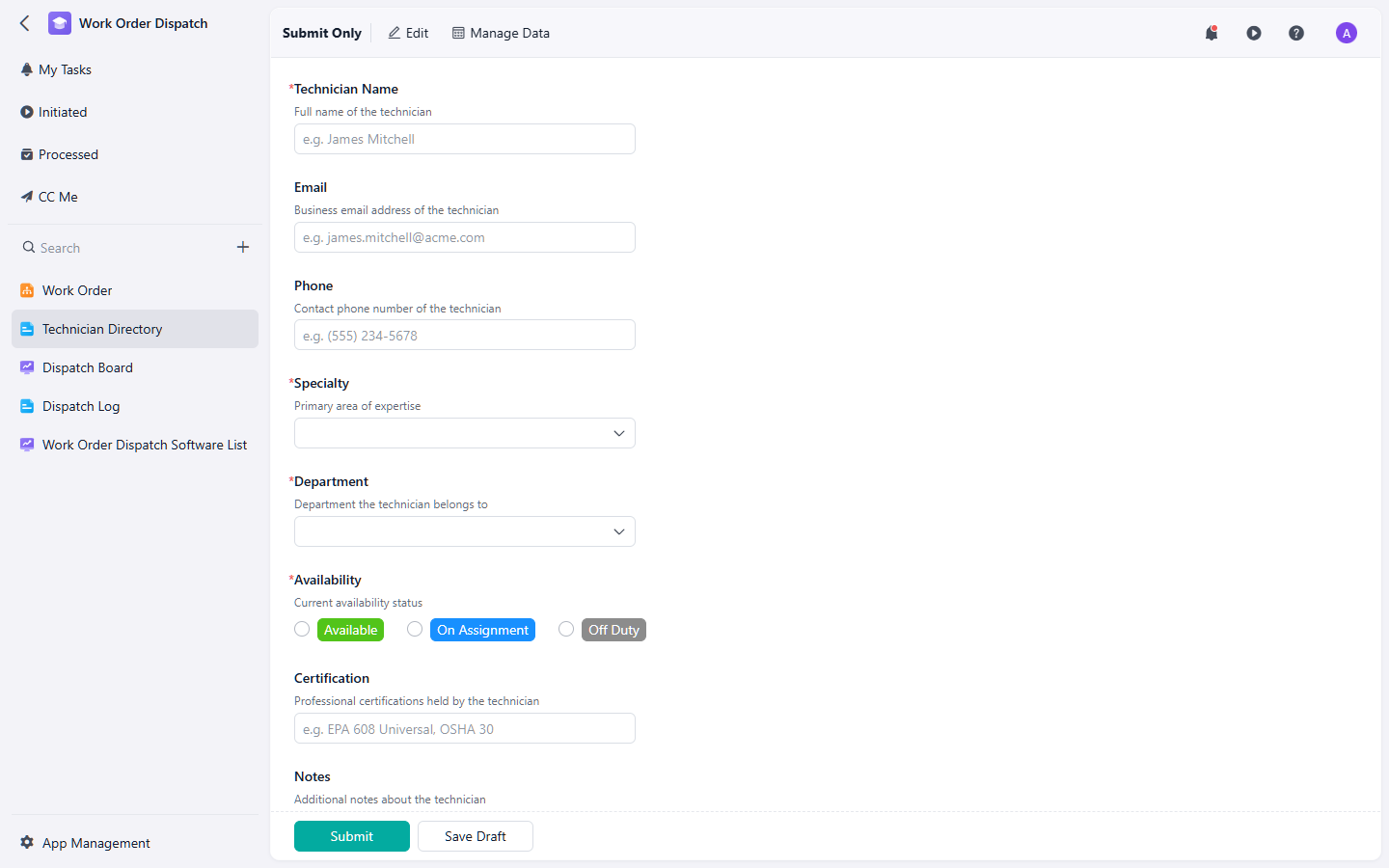
A work order dispatch workflow helps teams connect job intake, technician assignment, field updates, and completion records.
For a broader workflow, the work order dispatch template can help teams manage incoming jobs, technician assignments, status updates, and follow-up actions without relying on scattered messages.
Common scheduling mistakes to avoid
Many field service teams do not need a more complex process. They need fewer gaps between request intake, dispatch, and completion tracking.
- Scheduling before the job is qualified: If the request lacks issue type, location, urgency, or access details, the technician may arrive unprepared.
- Assigning only by availability: The nearest available technician is not always the right technician if the job requires specific skills, tools, or certification.
- Using too many status labels: A long status list creates confusion. Use a short set of statuses that everyone understands.
- Keeping updates in chat only: Chat is useful for communication, but it should not be the only place where job history lives.
- Skipping follow-up records: If unresolved issues, customer feedback, or warranty work are not tracked, the team loses visibility after the first visit.
How to improve field service scheduling in 2026
For many service businesses, the highest-impact improvement is not advanced automation. It is building a consistent workflow that every job follows.
- Use one intake method: Avoid letting requests arrive through too many unstructured channels without being recorded.
- Define dispatch rules: Decide how priority, technician skill, location, and customer time windows should affect assignments.
- Standardize required fields: Make sure every job includes the minimum information needed before dispatch.
- Track field status in real time: Give the office team visibility into whether a technician is scheduled, dispatched, on site, delayed, or completed.
- Review recurring issues: Look for repeated service types, delayed jobs, missed appointments, and follow-up patterns.
Final thoughts
Field service scheduling works best when it is treated as a connected workflow, not just a calendar. The request, work order, technician assignment, field update, and follow-up record should all support each other.
If your team is growing beyond spreadsheets or manual coordination, start by standardizing the way jobs are captured and dispatched. From there, templates for plumbing scheduling, HVAC dispatch, Dan work order dispatch can give your team a cleaner structure without turning the article itself into a duplicate of any one template page.