This 2026 guide is for finance, billing, operations, and accounts receivable teams that need a more connected way to manage customer credit, invoice-related requests, payment follow-up, and receivables tracking as volume grows.
Accounts receivable problems rarely begin with one missed payment. They usually start earlier, when credit review, invoice handling, payment requests, and tracking live in separate places and no one has a clear view of what still needs action.
A customer submits a request. Credit approval is unclear. An invoice is issued, but the follow-up note sits in email. A payment request is waiting. Aging balances are checked manually. By the time someone notices the gap, the delay has already spread across multiple steps.
This accounts receivable workflow guide explains how to connect credit applications, invoice requests, payment requests, receivables tracking, and metrics into one more reliable process.
What is accounts receivable workflow?
Accounts receivable workflow is the process used to manage customer-related billing and follow-up from credit review through invoice handling, payment requests, collections tracking, and receivables reporting.
The goal is not only to send invoices. The goal is to make the path from customer setup to cash collection visible, consistent, and easy to manage.
A strong AR workflow helps teams answer practical questions such as:
- Has the customer been approved for credit?
- Is the invoice request complete and correct?
- Was the payment request sent and acknowledged?
- Which balances are aging?
- Which accounts need follow-up next?
- What receivables metrics are trending in the wrong direction?
When those answers are scattered across email, spreadsheets, and different team queues, collections work becomes slower and less predictable.
Why accounts receivable workflows become hard to manage
AR work often involves several teams. Sales may initiate the customer relationship. Finance reviews credit. Billing handles invoices or payment requests. Operations may confirm delivery or service completion. AR teams manage follow-up and reporting.
If each step is handled separately, the workflow usually runs into the same problems:
- credit decisions are not captured clearly
- invoice requests are incomplete or delayed
- payment requests are hard to trace
- aging balances are reviewed manually
- important follow-up falls between teams
The purpose of a better AR workflow is to reduce that fragmentation and make each step easier to review, hand off, and complete.
Step 1: standardize credit applications
Credit applications are usually the first control point in the AR workflow. They help teams decide whether a customer is ready for credit terms, prepayment conditions, or additional review.
A practical credit application should capture:
- customer identity and contact information
- 法律関連事業の詳細
- billing and shipping information
- requested credit terms
- trade references or credit references
- approval notes and decision status
Without a clear credit review process, customer onboarding can move faster than the controls that support it.
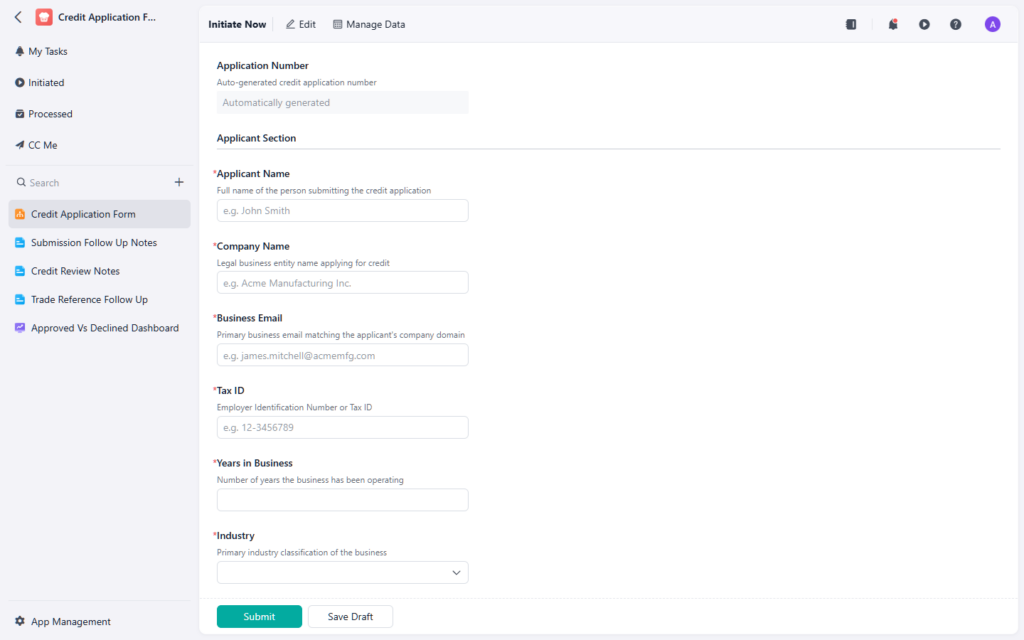
Credit applications help finance teams review customer terms before the receivables process begins.
If your team wants a more structured way to capture customer credit details, this credit application form 実用的な参考資料です。.
Step 2: connect invoice requests to the billing process
Once a customer is approved and the work is delivered, invoice requests need to move through the billing process without unnecessary delay.
Invoice-related workflows usually benefit from capturing:
- customer name
- invoice reference or request number
- billing period or service period
- amount due
- supporting documents or delivery evidence
- billing status or exception notes
If invoice requests are managed informally, finance teams often spend extra time checking whether the request is complete, correct, and ready for issuance.
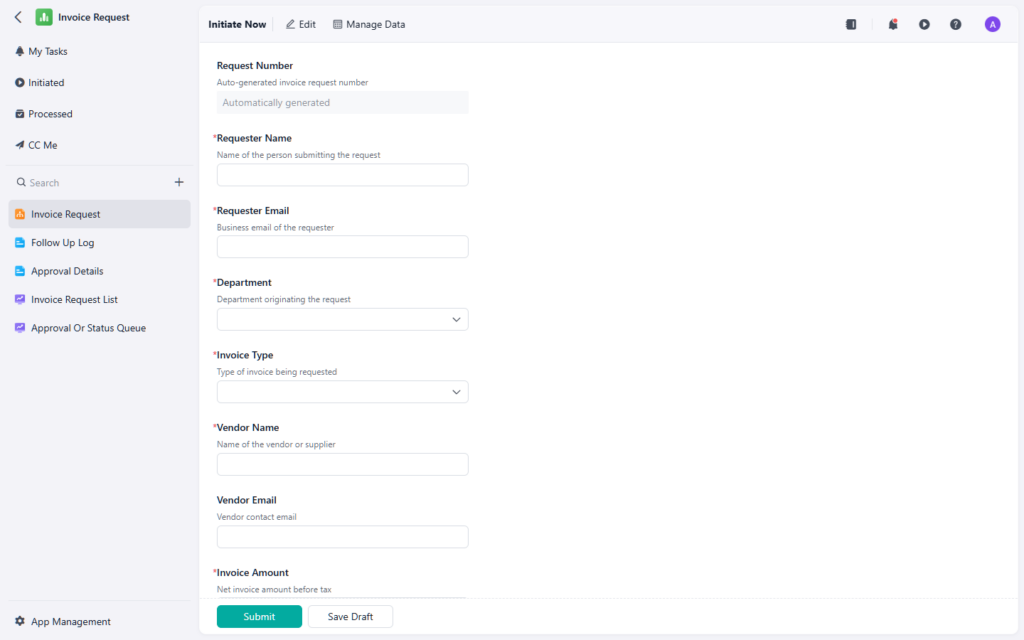
Invoice requests work best when billing details and supporting context are captured before issuance.
If your team needs a more organized billing intake point, this invoice request form is a useful starting point.
Step 3: make payment requests visible and traceable
Payment requests are useful when the workflow needs a clear record of what should be paid, why it should be paid, and whether the request is ready for approval or execution.
A good payment request process usually includes:
- payee or customer record
- invoice or billing reference
- amount requested
- due date or expected payment timing
- supporting documents
- approval or review status
When payment requests are tracked informally, teams lose time chasing context that should already be visible in the workflow.
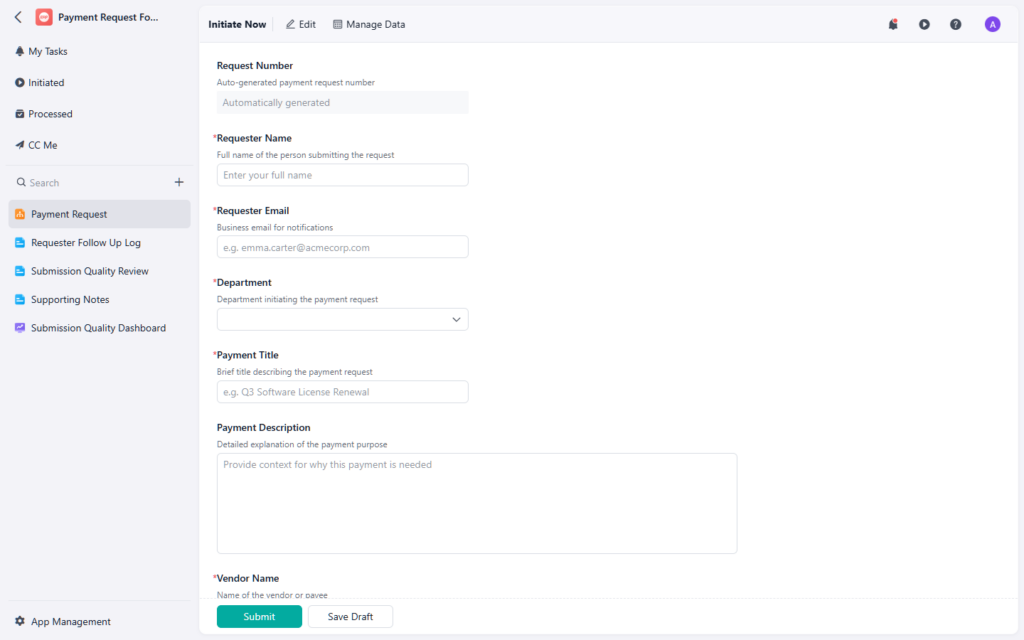
Payment requests should make the amount, timing, and approval status visible in one record.
If your team needs a more controlled way to manage payment follow-up, this payment request form can help standardize the process.
Step 4: track receivables aging and follow-up
AR teams need more than request records. They need a reliable view of what is still outstanding, what is aging, and what needs follow-up next.
Common tracking fields include:
- customer account
- invoice or request reference
- current balance
- due date
- days past due
- follow-up owner
- collection status
- next action
Aging data is only useful if it is easy to act on. If a team sees the same overdue balances every week but cannot tell who owns the next step, the process is still too fragmented.
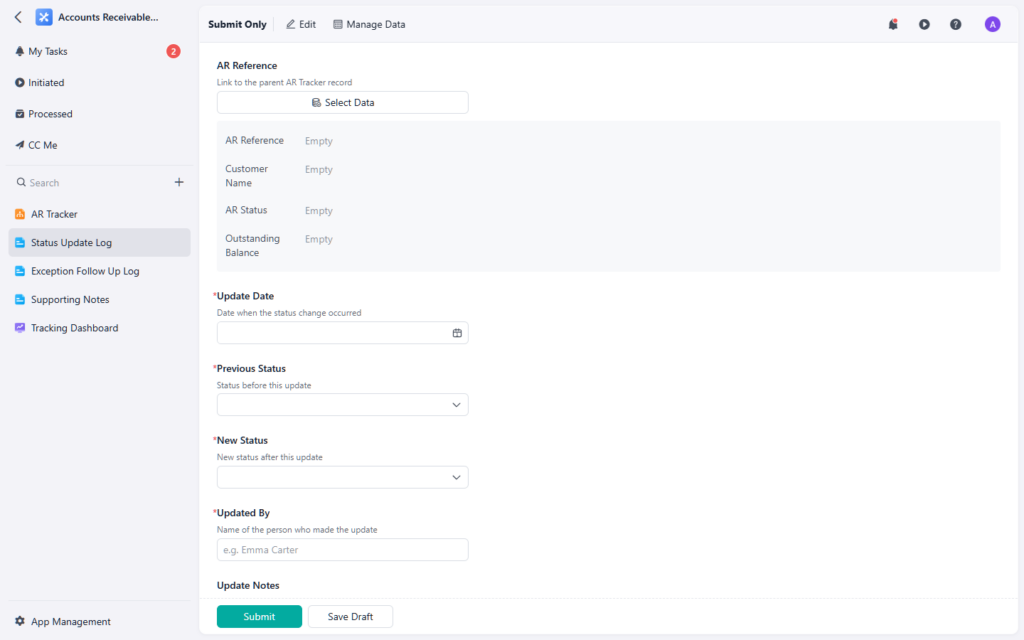
Receivables tracking helps teams see aging balances and ownership before delays become larger issues.
If you want a clearer way to monitor open balances and follow-up work, this accounts receivable tracker 参考になる資料です。.
Step 5: review receivables metrics regularly
Tracking individual balances is useful, but finance teams also need a broader view of performance across the portfolio.
Common receivables metrics include:
- days sales outstanding
- aging bucket distribution
- overdue balance percentage
- collection follow-up volume
- open invoice count
- cash conversion trend
These metrics help teams spot patterns instead of only reacting to single overdue accounts.
If one segment is aging faster than others, or if open balances are rising even though follow-up volume is flat, the workflow likely needs another control point.
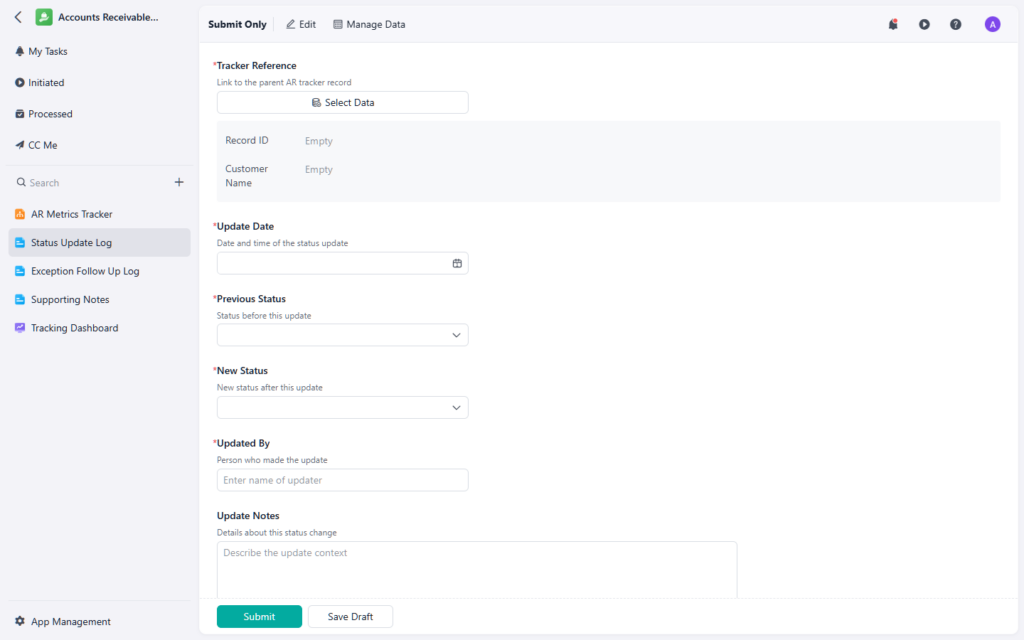
Receivables metrics give finance teams a broader view of collection performance over time.
If your team wants a more structured way to review AR performance, this accounts receivable metrics tracker can support that view.
Common accounts receivable workflow mistakes
Even mature finance teams can run into the same AR problems when the workflow is too fragmented.
Common mistakes include:
- credit decisions not stored in one place
- invoice requests missing supporting evidence
- payment requests created without clear ownership
- aging reviewed manually instead of through a shared tracker
- metrics reported separately from day-to-day follow-up
These problems usually do not come from lack of effort. They come from too many disconnected handoffs.
スプレッドシートだけでは不十分になったとき
Spreadsheets can work when AR volume is low and the follow-up load is light. But they become fragile when teams need to manage multiple request types, aging balances, and recurring follow-up across different accounts.
Teams usually start to outgrow spreadsheets when they see signs such as:
- duplicate request records
- unclear ownership for follow-up
- aging balances checked manually
- invoice and payment records stored in separate places
- metrics that are hard to update consistently
A spreadsheet can store receivables data. It usually cannot manage the full AR workflow very well.
最終的な結論
Accounts receivable works best when credit review, invoice handling, payment requests, tracking, and metrics all live in one connected workflow.
When those steps are tied together, finance teams can reduce delays, improve visibility, and make collection follow-up more reliable over time.
If your team is reviewing how these AR workflows should fit together, Jodoo’s AIテンプレートライブラリ provides practical examples across credit review, invoice requests, payment follow-up, and receivables tracking.