Updated for 2026. This guide is for operations teams, construction teams, maintenance teams, field service companies, warehouses, facilities teams, schools, labs, and any organization that shares tools or equipment across people, locations, and jobs. It is especially useful if your team still uses spreadsheets, whiteboards, paper logs, or chat messages to manage equipment availability and responsibility.
Equipment problems often look small at first. A tool is missing. A machine was booked by two teams at the same time. A checkout record is incomplete. A technician takes equipment to a jobsite but no one updates the return status. Over time, these small gaps create delays, duplicate purchases, lost assets, and avoidable disputes about who had what and when.
A strong equipment tracking workflow connects three things: the asset record, the reservation or booking, and the checkout history. When those pieces are connected, teams can see what equipment exists, where it is, who is using it, and when it should come back.
What is equipment tracking?
Equipment tracking is the process of recording, monitoring, and managing shared assets throughout their lifecycle. This can include tools, machines, vehicles, devices, safety gear, test equipment, IT equipment, rental assets, or any item that moves between people, job sites, rooms, departments, or storage areas.
A useful equipment tracking process helps teams answer practical questions:
- What equipment do we have?
- Where is it now?
- Who is responsible for it?
- Is it available, reserved, checked out, under repair, or retired?
- When should it be returned?
- Does it need inspection, calibration, maintenance, or replacement?
The goal is not only to prevent loss. The bigger goal is to make equipment availability and responsibility visible before it affects work.
Equipment tracking vs booking vs checkout
These terms are related, but they solve different problems. Separating them helps teams design a cleaner process.
| ワークフロー | 主な目的 | Best use case |
|---|---|---|
| Equipment tracking | Maintains the asset record, location, condition, ownership, and status. | Knowing what assets exist and where they are. |
| Equipment booking | Reserves equipment for a future date, time, team, job, or location. | Avoiding conflicts before equipment is used. |
| Equipment checkout | Records when equipment is physically issued, who received it, and when it should return. | Creating accountability for handoff, use, return, and condition. |
For example, a camera may be tracked as an asset, booked for a site visit next Thursday, and checked out to a specific employee on the morning of the visit. Each step gives the team a different type of visibility.
A practical equipment tracking workflow
Most teams do not need a complicated asset management system at the beginning. They need a consistent workflow that every shared item follows.
- Create the asset record. Record the equipment name, ID, category, serial number, location, owner, purchase date, condition, and status.
- Define availability rules. Decide whether the item can be booked, who can reserve it, how far in advance it can be booked, and whether approval is required.
- Reserve equipment when needed. Capture the requester, date, time, purpose, project, jobsite, and expected return date.
- Confirm checkout at handoff. Record who received the equipment, when it was issued, its condition, and any accessories included.
- Track usage and location changes. Update the record if the item moves between job sites, departments, vehicles, storage areas, or users.
- Inspect on return. Confirm return time, condition, damage, missing parts, cleaning needs, or maintenance requirements.
- Close or escalate the record. Mark the item available, send it for repair, flag it as overdue, or retire it if it is no longer usable.
1. Tool tracking: prevent loss and confusion
Tool tracking focuses on smaller shared items that are easy to move and easy to misplace. This can include drills, meters, ladders, hand tools, test instruments, safety equipment, tablets, scanners, and specialty tools.
Tool loss often happens because responsibility is unclear. A tool may be stored in one vehicle, moved to a jobsite, borrowed by another worker, and returned to a different location without being recorded. When the next team needs it, no one knows whether it is missing, in use, damaged, or simply in the wrong place.
A good tool tracking record should include:
- Tool name and ID: asset tag, barcode, QR code, serial number, or internal ID.
- Category: power tool, hand tool, measuring device, safety gear, inspection tool, or specialty equipment.
- Current location: warehouse, vehicle, jobsite, room, storage cage, or department.
- Assigned owner: employee, crew, team, project, or responsible department.
- Status: available, in use, checked out, missing, damaged, under repair, or retired.
- Condition: working, needs inspection, damaged, incomplete, or unavailable.
- Last movement: last checkout date, return date, transfer date, or location update.
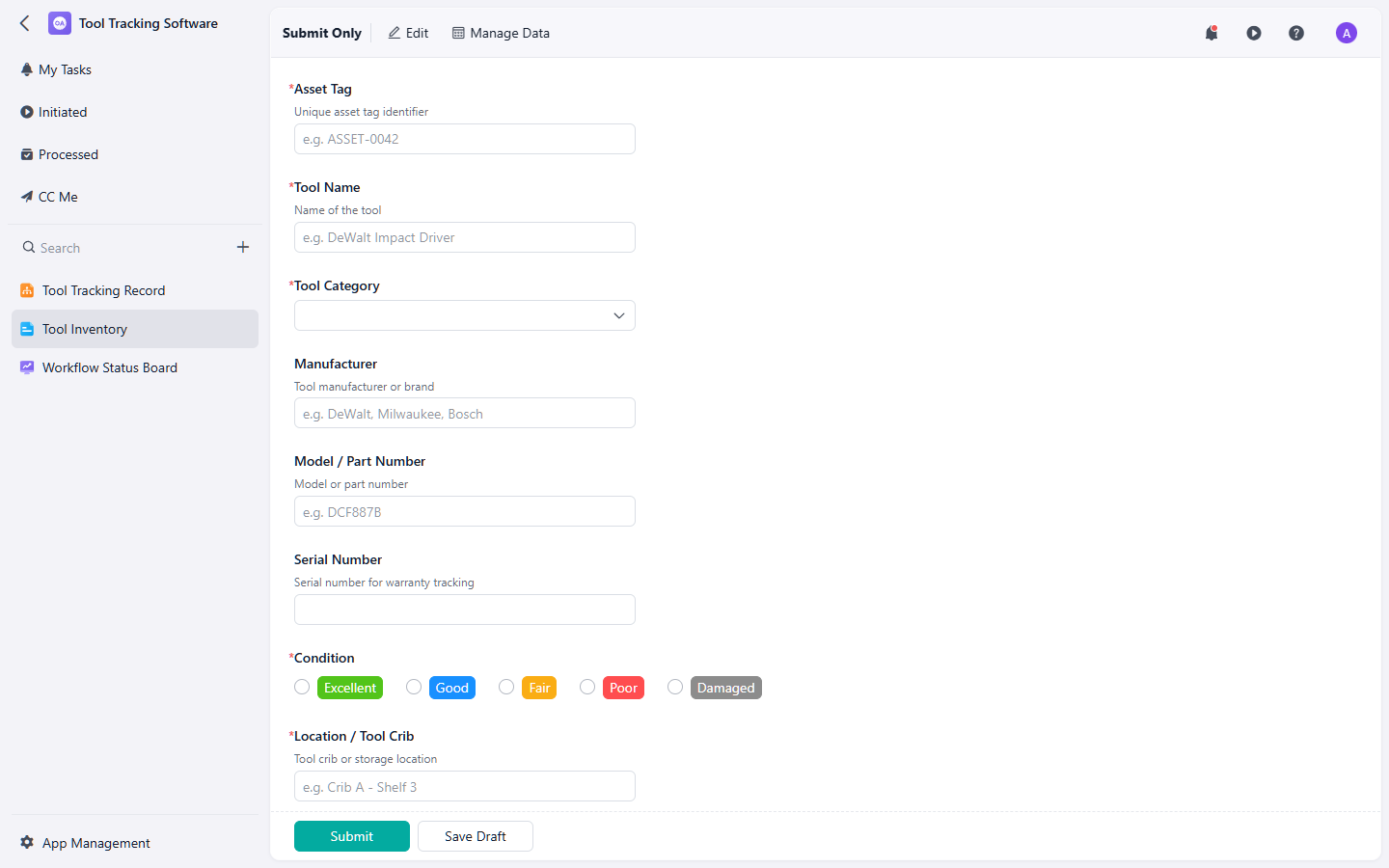
Tool tracking helps teams see where shared tools are, who has them, and whether they are ready to use.
If your team needs a structured starting point, the tool tracking template can help organize tool records, locations, users, status, and condition updates.
2. Equipment booking: avoid scheduling conflicts
Equipment booking is useful when multiple teams need the same asset at different times. Instead of waiting until someone physically checks out the equipment, booking lets teams reserve it in advance.
This matters for high-demand items such as inspection devices, cameras, lifts, testing equipment, shared vehicles, training equipment, conference equipment, lab devices, or rental assets. If teams do not reserve equipment clearly, two projects may plan around the same item without realizing there is a conflict.
An equipment booking record should include:
- Requested equipment: item name, category, asset ID, or equipment group.
- Requester: person, department, project, crew, or customer.
- Purpose: job, event, inspection, training, installation, maintenance, or delivery.
- Booking window: start date, start time, end date, end time, and expected return.
- Location: pickup location, use location, jobsite, room, vehicle, or delivery address.
- Approval status: requested, approved, rejected, cancelled, completed, or changed.
- Conflict notes: overlapping requests, priority decision, substitute equipment, or revised schedule.
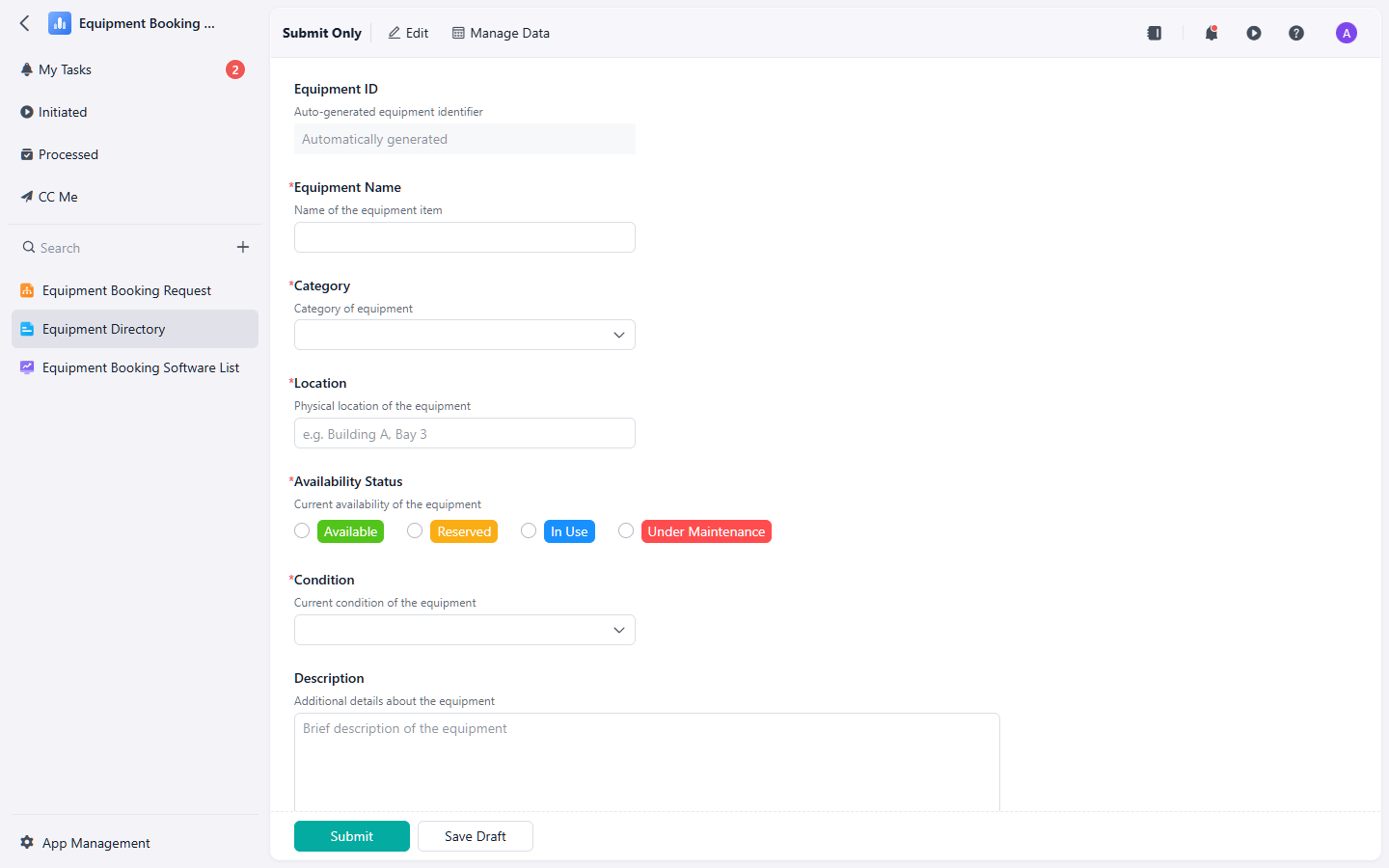
Equipment booking helps teams reserve shared assets before conflicts affect the work schedule.
の equipment booking template can help teams manage requests, availability, reservation windows, approvals, and booking conflicts in a consistent workflow.
3. Equipment checkout: create accountability at handoff
Equipment checkout records the actual handoff of an item. This is different from booking. A booking says someone plans to use the equipment. A checkout confirms that the equipment was issued to a specific person at a specific time.
Checkout workflows are important because they create accountability. If a tool comes back damaged, a part is missing, or a return is overdue, the team can review the checkout record instead of relying on memory.
A useful equipment checkout record should include:
- Equipment details: item name, ID, category, serial number, and accessories included.
- Borrower details: employee, contractor, department, project, or crew.
- Checkout details: checkout date, time, location, issuer, and expected return date.
- Condition at checkout: working condition, visible damage, missing parts, photos, and notes.
- Usage context: jobsite, work order, project, event, customer, or task.
- Return details: return date, receiver, condition on return, missing items, damage notes, and cleaning or maintenance needs.
- Status: checked out, overdue, returned, returned with issue, under repair, lost, or closed.
の equipment checkout template is useful when teams need a clear record of who borrowed equipment, when it was issued, when it should return, and what condition it was in.
How equipment tracking, booking, and checkout work together
The strongest equipment process connects asset visibility, future reservations, and physical handoff.
- Tracking shows the asset record. The team knows what equipment exists, where it belongs, and what condition it is in.
- Booking reserves future use. The team can plan work without accidentally double-booking high-demand equipment.
- Checkout confirms possession. The team knows who actually took the equipment and when it should come back.
- Return inspection updates status. The item becomes available again, or it is flagged for repair, cleaning, replacement, or investigation.
When these steps are disconnected, teams often know only part of the truth. An item may look available in a spreadsheet even though it was checked out yesterday. A booking may exist, but no one knows whether the item was actually picked up. A tool may be returned damaged, but the condition history is missing.
Common equipment tracking mistakes
- Using one spreadsheet for everything: Asset records, bookings, checkouts, repairs, and returns need different fields and statuses.
- Not assigning responsibility: If no person, team, or department owns an item, accountability becomes unclear.
- Skipping condition checks: Without condition records, it is hard to know whether damage happened before, during, or after use.
- Letting bookings and checkouts overlap: A reservation does not always mean the item was issued, and a checkout does not always mean it was booked in advance.
- Failing to track accessories: Batteries, chargers, cases, cables, attachments, and safety components often go missing before the main asset does.
- Not following up on overdue items: Overdue equipment can delay other work even if it is not technically lost.
Best practices for equipment tracking in 2026
- Use unique asset IDs: Give each important item a unique ID, barcode, QR code, or tag so records do not rely only on item names.
- Keep status labels simple: Available, reserved, checked out, overdue, under repair, lost, and retired are enough for many teams.
- Separate booking from checkout: Treat reservation planning and physical handoff as two connected but different steps.
- Capture photos when condition matters: Photos are useful for high-value assets, damaged items, field equipment, and disputed returns.
- Review utilization: Track which equipment is frequently used, rarely used, repeatedly overdue, or often under repair.
- Standardize return rules: Define when items must be returned, who checks condition, and what happens when equipment is late, damaged, or missing.
Final thoughts
Equipment tracking works best when it connects the full asset journey: what the equipment is, where it is, who reserved it, who checked it out, what condition it was in, and when it came back.
If your team is growing beyond whiteboards, paper logs, or disconnected spreadsheets, start by separating your process into three parts: tool tracking, equipment booking, 、 そして equipment checkout. Together, they give teams a cleaner way to reduce lost assets, prevent scheduling conflicts, and keep shared equipment accountable.