Nach Kategorien durchsuchen

Essential data like customer information, inventory status, project timelines, and employee records is the core asset of your small business. If this foundation is scattered among separate files, emails, and notes, it immediately creates company-wide confusion and cripples the speed of your daily operations.
Gut database software fixes this problem. It centralizes your data, automates administrative tasks, and enables easy team collaboration. The difficult part is finding an affordable tool that is simple enough for non-technical users to quickly master. This guide looks at 8 database tools built for small businesses and startups. You’ll get clear information to pick the right one without testing tools that won’t work for you.
Direct Comparison of Best Database Software
Small businesses need database software that works right out of the box. Yet finding quality platforms built specifically for startups remains surprisingly difficult. To simplify your search, we’ve tested and compared the best options available, focusing on affordable tools with practical features your team will actually use.
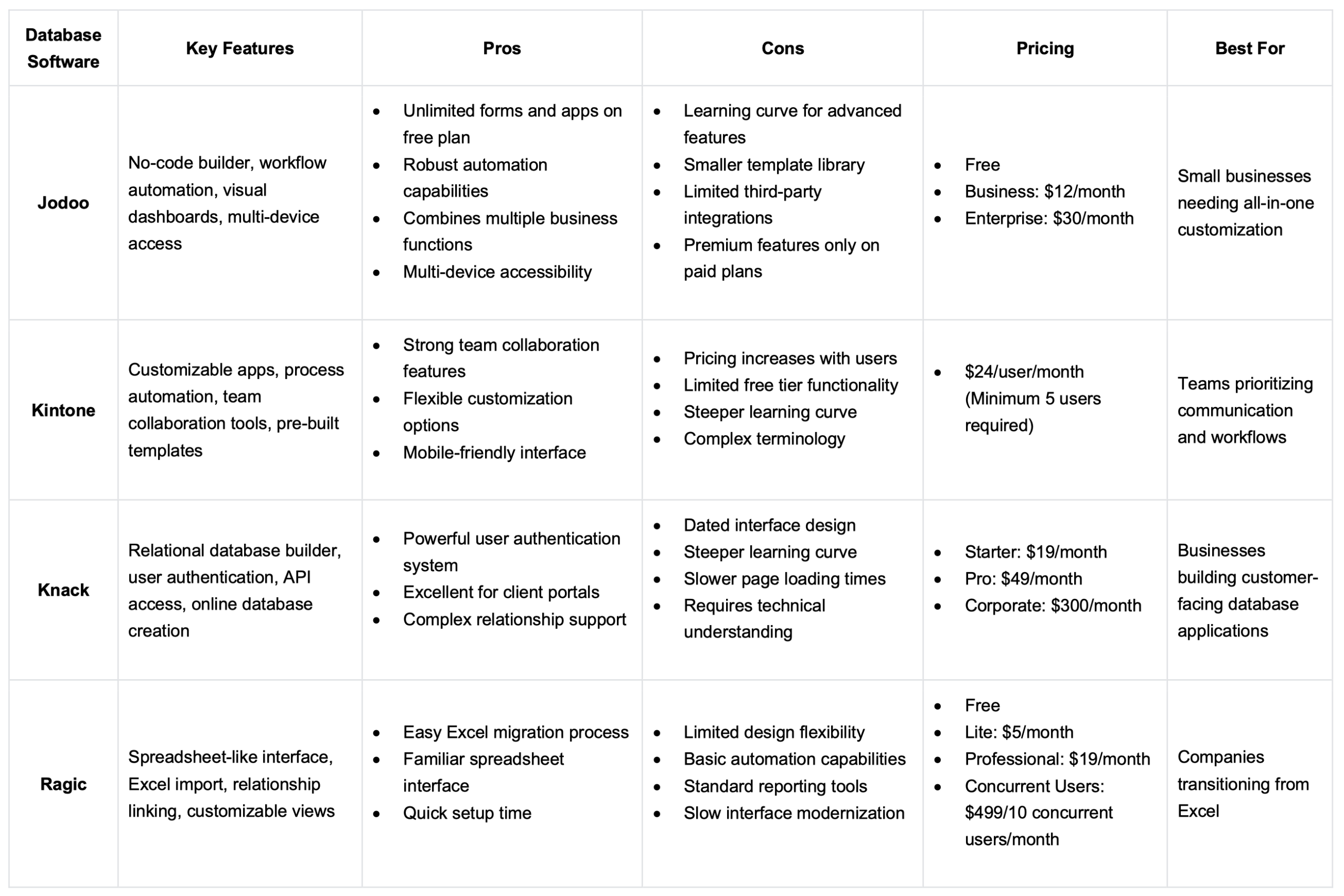
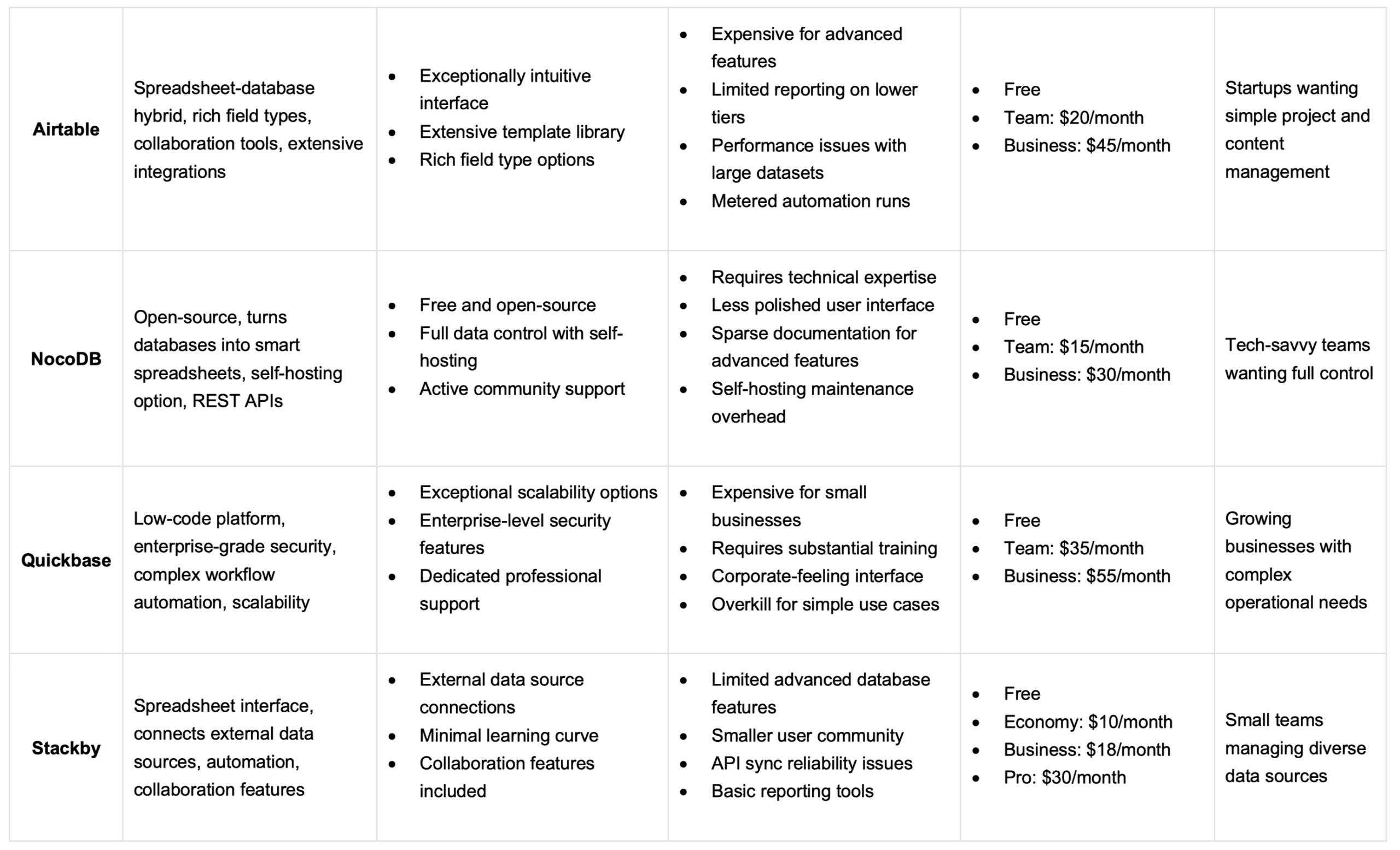
Find your ideal database solution now. Keep reading for detailed reviews, pricing, and real-world use cases to pick the best tool for your specific business.
Platz 1. Jodoo
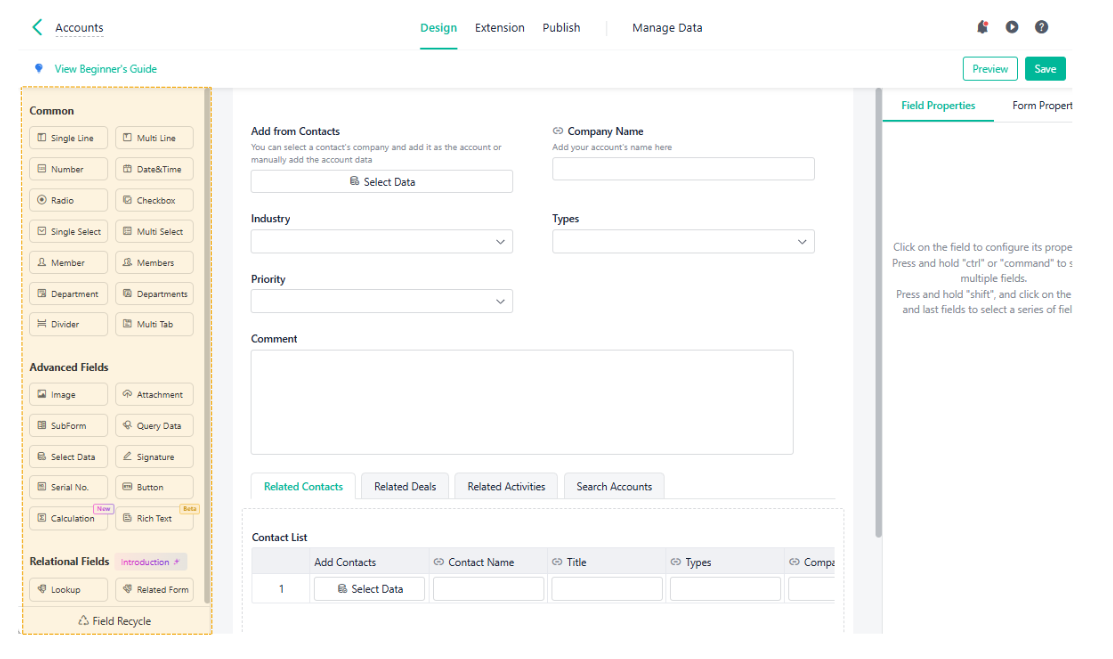
Jodoo is a comprehensive no-code database platform developed to help businesses digitalize operations without programming expertise. Recognized for combining CRM, project management, and inventory control into one unified system, it has gained traction among small businesses seeking cost-effective automation.
This platform functions as a relational database builder with visual customization tools. Users create custom applications through drag-and-drop interfaces, linking data across different business functions. Jodoo addresses the common problem of data silos by centralizing customer information, project timelines, inventory levels, and HR records into interconnected databases. Its workflow automation engine handles approval processes, notifications, and repetitive data entry tasks without manual intervention.
Vorteile:
- Free plan includes unlimited forms, dashboards, and apps for startups
- Automation handles approvals and customer follow-ups without manual work
- Works seamlessly across desktop and mobile devices
- Visual dashboards turn data into charts and reports quickly
- Capable of advanced data operations including joins, merges, and filtering
- Business plan includes 120GB/year storage supporting 750,000 records
Nachteile:
- PDF templates and e-signatures only on paid plans
- Fewer third-party integrations
Top 2. Kintone
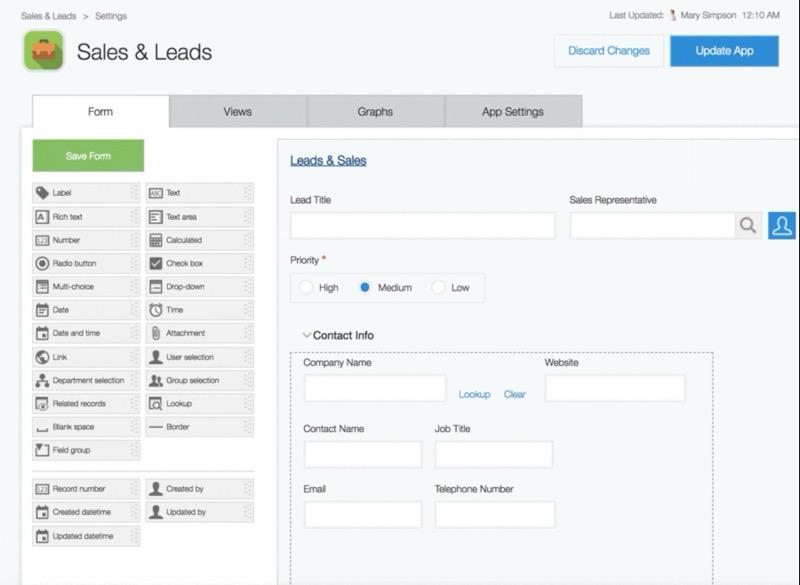
Kintone, developed by Japan’s Cybozu Inc., reimagines database management as a collaborative team experience. This platform shifts the focus from individual data entry to group coordination, making it ideal for organizations that prioritize teamwork.
Built as a cloud-based relational database, Kintone allows teams to create custom applications using its simple drag-and-drop interface. Use pre-built components to instantly manage sales, projects, and customer service. Real-time collaboration is key: team members can update records, add comments, and receive notifications immediately, ensuring everyone stays aligned.
Vorteile:
- Comments and discussions happen directly on database records
- Full mobile functionality for teams working in the field
- Pre-built templates speed up setup for common workflows
Nachteile:
- Per-user pricing gets expensive as teams grow
- Free version has limited features that push toward paid plans
- Requires learning Kintone-specific terminology and concepts
- Reporting features lag behind dedicated analytics tools
Top 3. Knack
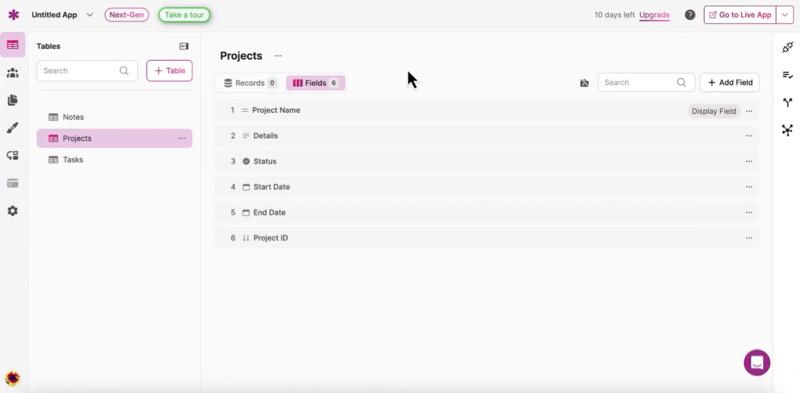
Talent has established itself as a powerful online database builder since its launch, focusing on creating custom web applications with user authentication and client portals. Companies building customer-facing databases frequently choose this platform for its robust permission systems.
This relational database platform lets users construct applications that manage and display data through customized interfaces. Knack excels at building portals where external users can log in, view specific records, and submit information. You use it for membership directories, equipment tracking systems, and customer service platforms. The software handles complex data relationships well, allowing businesses to connect multiple database tables with parent-child relationships and lookup fields.
Vorteile:
- User permissions control exactly what each person sees and edits
- API access works well with other business systems
- Handles complex relationships between different data types well
Nachteile:
- Interface design looks outdated compared to modern tools
- Steeper learning curve for people new to databases
- Pages load slowly with large datasets or complex views
- Needs more technical knowledge than truly no-code tools
Top 4. Ragic
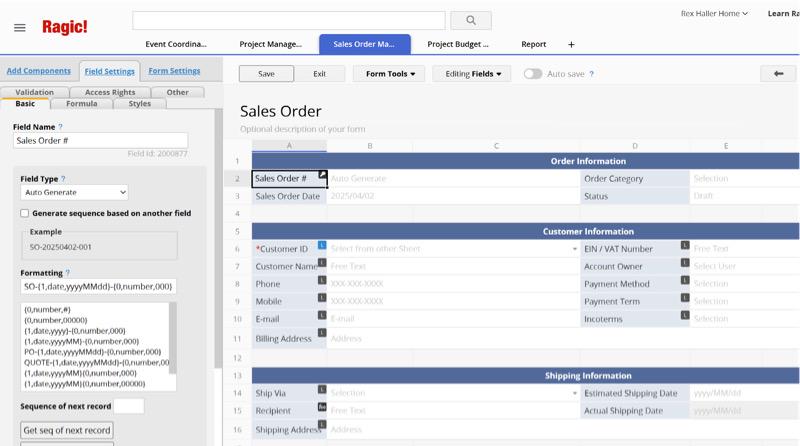
Ragic was created specifically for businesses transitioning from Excel to proper database systems. This platform gained attention by maintaining a spreadsheet-like appearance while adding database functionality underneath, making adoption easier for Excel-dependent teams.
The software operates as a cloud-based relational database disguised as a familiar spreadsheet interface. Users create forms that look like Excel sheets but include database features like relationship linking, data validation, and automated calculations. Ragic solves the problem of teams outgrowing Excel’s limitations without forcing them to learn entirely new software. Its Excel import feature converts existing spreadsheets into database tables within minutes.
Vorteile:
- Excel import converts spreadsheets into databases quickly
- Spreadsheet interface needs minimal training for Excel users
- Links different sheets while keeping the familiar look
Nachteile:
- Design customization options are limited
- Automation features are basic compared to competitors
- Reporting stays at standard level without deeper analytics
- Interface updates have been slow over time
Top 5. Airtable
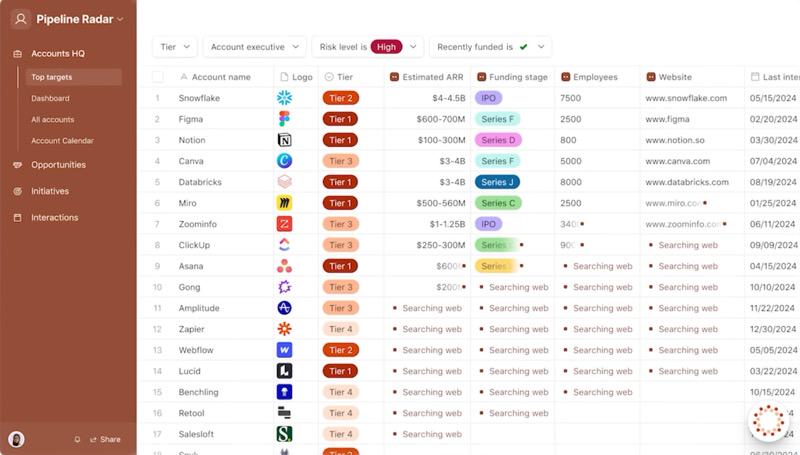
Airtable has become one of the most recognized names in small business database software since its 2012 launch. The company raised significant venture funding and built a large user community around its spreadsheet-database hybrid approach, making it a go-to choice for creative teams and startups.
This platform combines spreadsheet simplicity with database power through a colorful, intuitive interface. Users organize information in tables with various field types, including attachments, checkboxes, ratings, and linked records. Airtable shines in project management, content calendars, and product roadmaps where visual organization matters. The software addresses the gap between basic spreadsheets and complex database systems by offering database functionality without the technical overhead.
Vorteile:
- Easy interface makes onboarding new users quick
- Large template library offers ready-made solutions
- Field types handle attachments, barcodes, and more
Nachteile:
- Pricing jumps quickly when you need advanced features
- Dashboard and reporting are limited on lower-tier plans
- Performance drops with databases over 50,000 records
- Automation runs are counted and can create extra costs
Top 6. NocoDB
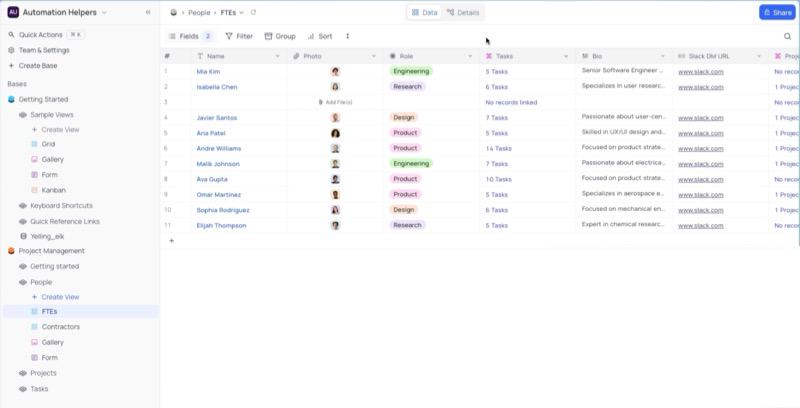
NocoDB represents the open-source alternative in the database software landscape. This community-driven project transforms existing databases like MySQL and PostgreSQL into user-friendly spreadsheet interfaces, appealing to organizations wanting full control without licensing fees or vendor lock-in.
Operating as an open-source platform, NocoDB converts traditional databases into intuitive spreadsheet-style interfaces while maintaining the underlying database structure. Technical teams use it to give non-technical colleagues easy access to complex databases. The software solves the problem of database accessibility by providing familiar views on top of powerful backend systems. Users can self-host on their own servers or use NocoDB’s cloud offering.
Vorteile:
- Completely free with no licensing costs
- Self-hosting gives you full control over your data
- Active community provides plugins and support
Nachteile:
- Setup and maintenance require technical expertise
- Interface works but lacks polish of commercial tools
- Documentation can be sparse for advanced setups
- Self-hosting adds server maintenance responsibilities
Top 7. Quickbase
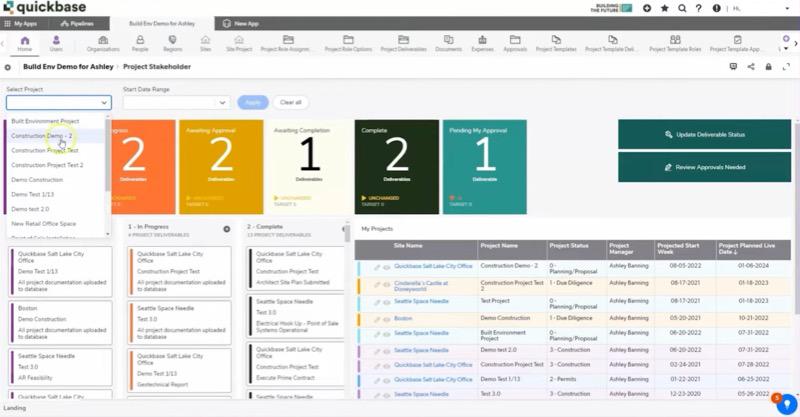
Quickbase serves the enterprise end of the low-code database market, owned by private equity and trusted by major corporations. Fortune 500 companies use this platform for mission-critical operations, making it the choice for startups planning significant growth or handling complex workflows from day one.
This low-code platform delivers enterprise-grade applications featuring sophisticated workflow automation and role-based access controls. Quickbase manages complex processes across departments, from supply chain logistics to regulatory compliance tracking. It handles large-scale operational challenges by offering the governance, audit trails, and scalability that smaller tools cannot provide.
Vorteile:
- Scales from startup to enterprise without changing platforms
- Enterprise security with audit logs, SSO, and detailed permissions
- Professional support helps with complex implementations
Nachteile:
- Pricing is too high for most small business budgets
- Requires substantial training before teams become productive
- Interface prioritizes function over modern design
- More complex than what most small businesses need
Top 8. Stackby
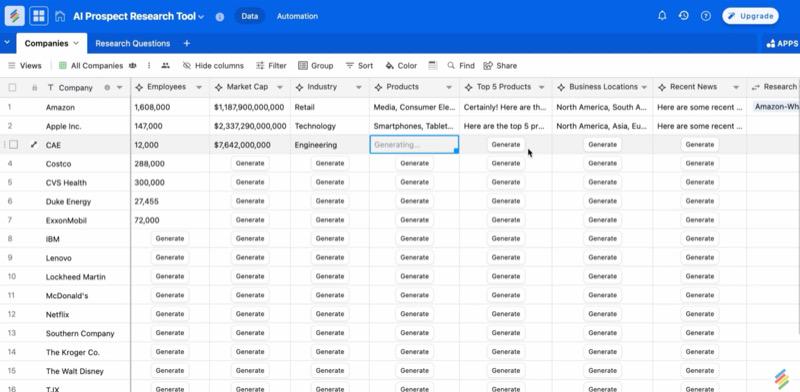
Stackby entered the market as a spreadsheet-database hybrid emphasizing external data connections. The platform differentiates itself by pulling information from APIs, RSS feeds, and third-party services directly into database views, appealing to teams managing data from multiple sources.
This cloud-based database software combines spreadsheet familiarity with the ability to connect external data sources. Users create databases that automatically sync information from services like Twitter, Google Analytics, or custom APIs. Stackby solves the challenge of scattered data by aggregating information from various platforms into unified views. Teams use it for social media tracking, market research, and monitoring KPIs from multiple tools simultaneously.
Vorteile:
- External connections pull data automatically into one place
- Spreadsheet interface is easy for Excel users to learn
- Collaboration features support team workflows with comments
Nachteile:
- Advanced database features are limited compared to competitors
- Smaller user community means fewer templates and resources
- API syncing depends on external services and can be unreliable
- Reporting and visualization stay at a basic level
Abschluss
Each platform reviewed offers distinct strengths, from Airtable’s intuitive design to Quickbase’s enterprise power. The correct choice ultimately depends on matching specific features to your workflow needs and budget. For most small businesses, the ideal tool must eliminate data silos, automate repetitive tasks, and scale affordably without requiring specialized technical expertise.
Jodoo emerges as the top recommendation for small businesses and startups. Its unlimited forms and submissions on the free plan, combined with powerful workflow automation and all-in-one platform design, deliver exceptional value. The no-code interface lets teams build custom applications without developer costs, while features like visual dashboards and multi-device access eliminate the need for multiple subscriptions. This makes Jodoo the best database software choice for growing businesses.