This 2026 guide is for warehouse, operations, inventory, and procurement teams that need a more connected way to control stock movement, reduce manual follow-up, and keep inventory records reliable as volume grows.
Inventory problems rarely start with one obvious mistake. More often, they build through small gaps between receiving, storage, requests, stock issues, returns, replenishment, and delivery confirmation.
A shipment arrives but inspection notes are incomplete. A production team requests materials without enough item detail. Stock is issued but not recorded clearly. Returned items sit in review. Low-stock conditions are discovered only after picking fails. Each issue may look small on its own, but together they create inventory records that teams stop trusting.
This inventory control guide explains how to structure the workflow from receiving inspection to material requests, inventory issues, returns, replenishment, and proof of delivery, with practical checkpoints for each stage.
What is inventory control?
Inventory control is the process of managing how stock is received, stored, issued, returned, replenished, and confirmed across daily operations.
The goal is not simply to know what stock exists. The goal is to make sure every important inventory movement is visible, accurate, and easy to follow up on.
A strong inventory control process helps teams answer practical questions such as:
- Was incoming stock inspected before it entered usable inventory?
- Who requested materials, and for what purpose?
- Which items were issued, returned, or adjusted?
- Which items are running low?
- Which replenishment actions are still open?
- Was delivery completed and confirmed?
When these answers are scattered across spreadsheets, chat messages, and paper notes, inventory control becomes much harder than it needs to be.
Why inventory workflows become hard to manage
Inventory work usually involves several teams. Receiving teams inspect incoming goods. Warehouse teams store and move stock. Operations teams request materials. Procurement or inventory planners handle replenishment. Delivery teams confirm outbound movement.
If each step is managed separately, the workflow usually develops the same problems:
- incoming stock enters the warehouse without complete inspection records
- material requests miss item codes, quantities, or required dates
- stock issues are handled informally
- returns are not reviewed quickly enough
- low-stock items are noticed too late
- delivery confirmation is disconnected from inventory records
The purpose of inventory control is to reduce those gaps. The workflow should make each movement easier to record, review, and hand off to the next step.
Step 1: inspect incoming goods before they enter usable stock
Receiving inspection is one of the first control points in an inventory workflow. It helps teams verify whether incoming goods match expectations before they are accepted into stock or sent forward for use.
A practical receiving inspection process should usually check:
- supplier or delivery information
- purchase order or receiving reference
- item name and item code
- quantity received
- visible damage or packaging issues
- quality or specification concerns
- accepted, rejected, or pending status
- follow-up owner for exceptions
This step matters because receiving errors often create downstream inventory problems. If quantity, condition, or item identity is wrong at the start, later warehouse records become harder to trust.
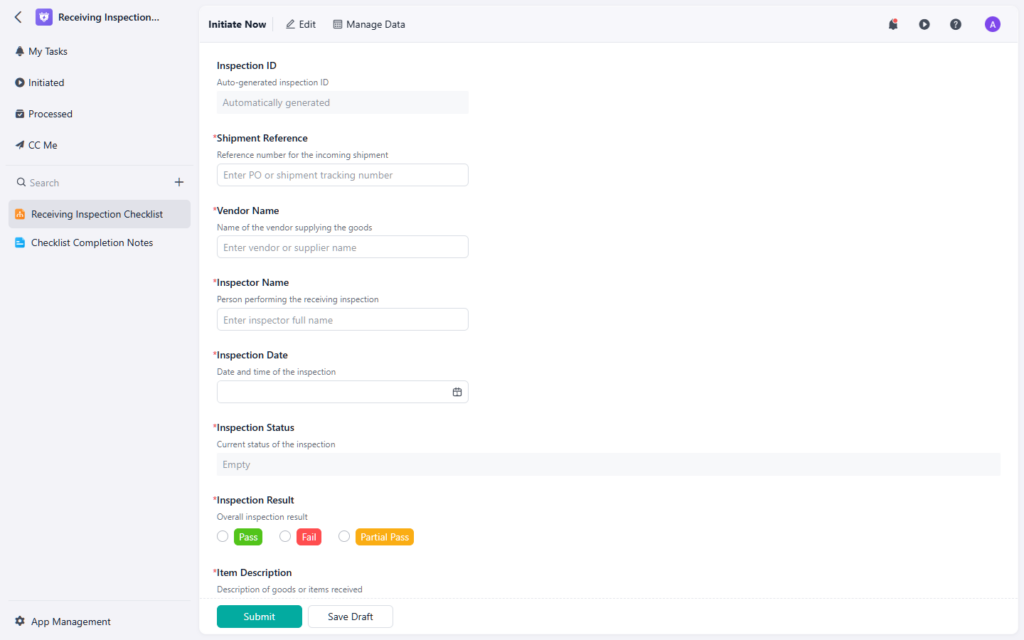
Receiving inspection helps teams verify incoming goods before they become usable inventory.
If your team needs a more consistent way to review incoming goods, this receiving inspection checklist is a practical reference.
Step 2: standardize material requests
Material requests are often where inventory control starts to connect with daily operations.
A production team may need raw materials. A maintenance team may need spare parts. A warehouse team may need packaging supplies. If these requests are handled informally, inventory teams spend extra time clarifying what is needed, when it is needed, and where it should go.
A useful material request should capture:
- requester name
- department or work area
- material or item name
- item code or SKU if available
- quantity requested
- required date
- destination or usage location
- reason for request
- urgency or priority
The goal is to reduce back-and-forth before warehouse or inventory teams act on the request.
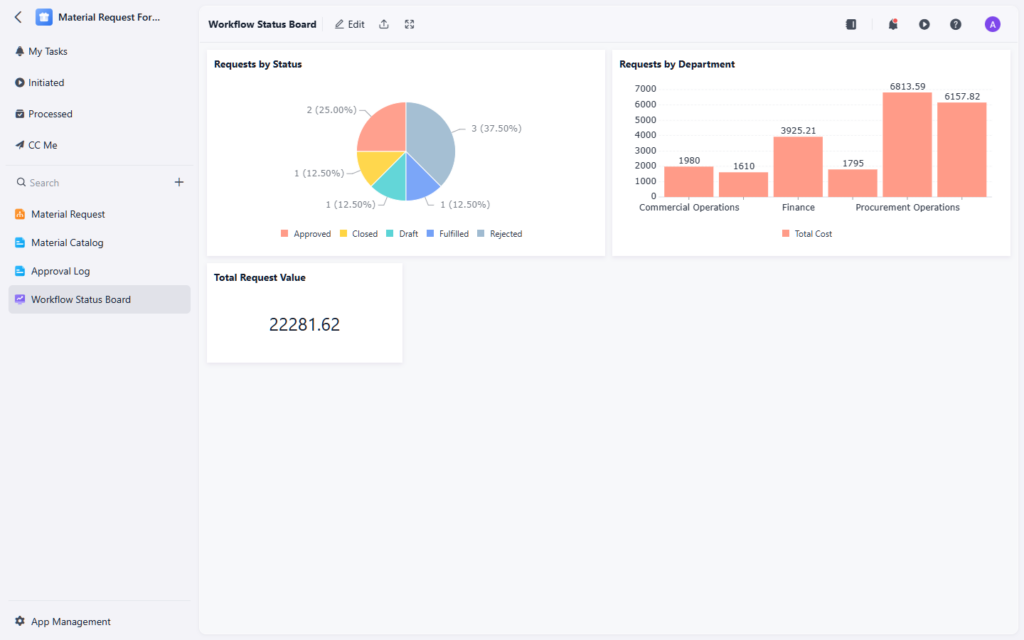
Material requests work best when item details, quantity, destination, and timing are captured clearly at submission.
For teams that want a structured intake point for internal stock needs, this material request form provides a useful starting point.
Step 3: record material and inventory issues clearly
After materials are requested, teams still need a reliable way to record what was actually issued or removed from stock.
This is where many inventory records start to drift. A team may take items from storage, but the reason, quantity, owner, or destination may not be recorded clearly enough for later review.
A strong issue process should usually capture:
- item name and item code
- quantity issued
- source location
- destination or user
- issue reason
- request reference if applicable
- approver or reviewer where required
- remaining stock impact
Material issue and inventory issue workflows are especially important when stock is used across teams, locations, projects, or production lines.

Inventory issue records help teams understand why stock left inventory and who owns the follow-up.
If your team needs a clearer record for stock leaving inventory, this inventory issue form can help standardize issue tracking.
Step 4: manage inventory returns before they create record problems
Inventory returns are easy to underestimate. A returned item may be usable, damaged, expired, incomplete, or waiting for inspection. If the return process is unclear, teams may accidentally mix returned stock into usable inventory too early.
A practical inventory return process should capture:
- returning team or person
- item name and item code
- quantity returned
- return reason
- condition of the item
- inspection result
- restock, quarantine, repair, or disposal decision
- follow-up owner
The key is to separate the physical return from the inventory decision. Just because an item came back does not mean it should immediately return to usable stock.
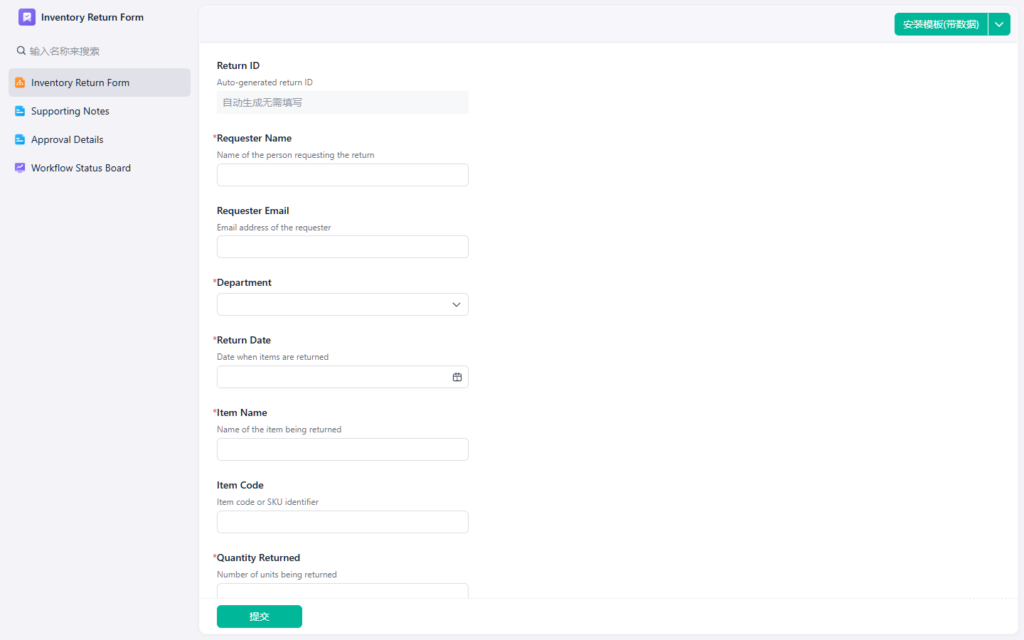
Inventory returns need clear condition review before items are restocked or removed from usable inventory.
If returns are a recurring source of inventory confusion, this inventory return form is a helpful reference for standardizing review and follow-up.
Step 5: catch low-stock risks before they become stockouts
Inventory control also depends on timely replenishment signals. If teams discover low stock only when a request cannot be fulfilled, the workflow is already reacting too late.
A practical low-stock process should define:
- which items are critical
- minimum stock levels
- current available quantity
- replenishment owner
- required timing
- open purchase or replenishment status
This is especially important for materials, parts, or fast-moving stock that affect production, service delivery, or customer commitments.
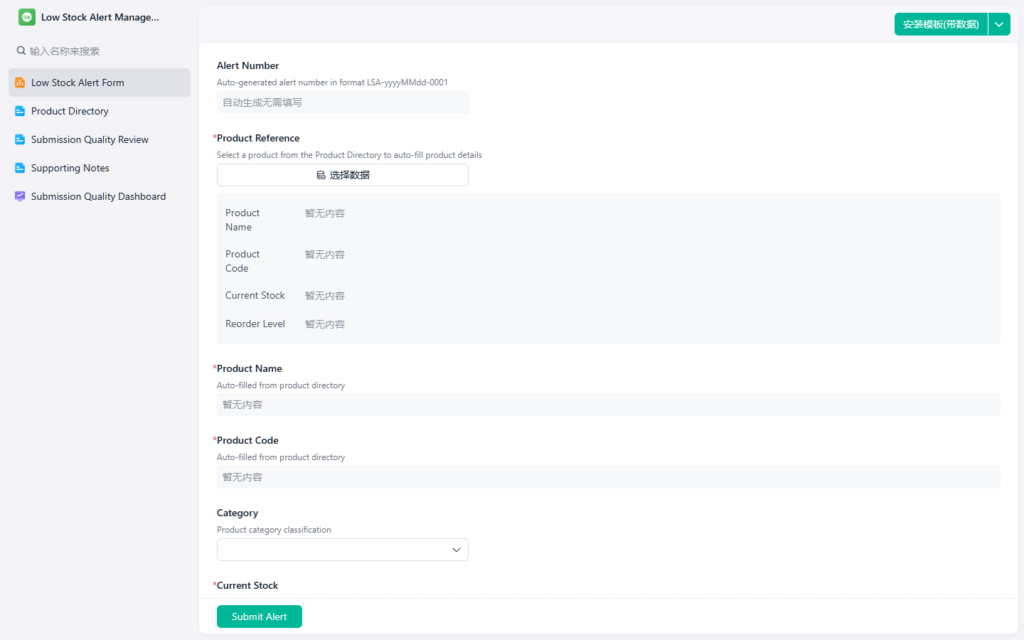
Low-stock alerts help teams act before shortages interrupt picking, production, or fulfillment.
For teams that need a clearer way to surface shortage risks, this low-stock alert form is a practical example.
Step 6: track replenishment until the gap is closed
A low-stock alert is useful only if the replenishment action is visible through completion.
Warehouse and inventory teams usually need to track:
- item or material needing replenishment
- current stock level
- target stock level
- replenishment source
- owner
- expected completion date
- open, delayed, or completed status
Without that follow-up layer, low-stock alerts can turn into another list that people check manually.
If replenishment work needs clearer ownership and status, a warehouse replenishment tracker can help teams monitor which items still need action.
Step 7: connect delivery confirmation to inventory records
Inventory control does not stop when stock leaves the warehouse. If goods are delivered internally or externally, teams often need confirmation that the handoff was completed.
A proof of delivery process may capture:
- recipient name
- delivery date and time
- items delivered
- quantity delivered
- signature or confirmation evidence
- delivery notes or exceptions
This becomes especially useful when disputes, missing items, or delayed confirmations affect inventory trust.
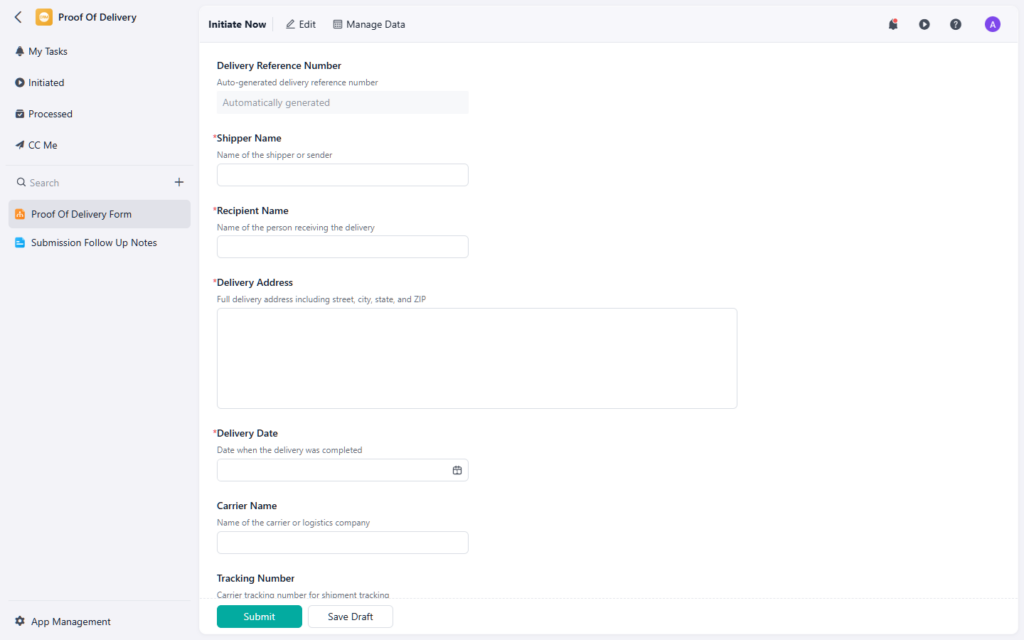
Proof of delivery records help connect outbound inventory movement with confirmed receipt.
If your team needs a cleaner way to confirm deliveries, this proof of delivery form can support that final handoff.
Common inventory control mistakes
Even teams with careful warehouse staff can run into inventory problems when the workflow is not structured enough.
Common mistakes include:
- accepting incoming goods without complete inspection notes
- using informal messages for material requests
- recording issued stock without a clear reason or owner
- mixing returned items into usable stock too quickly
- finding low-stock issues only after a request fails
- tracking replenishment without clear ownership
- disconnecting delivery confirmation from inventory records
These issues usually do not come from lack of effort. They come from weak handoffs between inventory stages.
When spreadsheets stop being enough
Spreadsheets can work when inventory volume is low and only a few people update records. But they become fragile when teams need to manage multiple movement types, approvals, exceptions, and follow-up tasks.
Teams usually start to outgrow spreadsheets when they see signs such as:
- duplicate request records
- unclear stock movement history
- slow follow-up on returns or issues
- low-stock risks discovered too late
- different teams maintaining separate inventory lists
A spreadsheet can store inventory data. It usually cannot manage the full inventory control workflow very well.
If your team needs one broader structure for inventory records, this inventory management form is a useful reference for organizing stock information and movement context.
Final takeaway
Inventory control works best when every major stock movement has a clear record and a clear next step.
Receiving inspection, material requests, stock issues, returns, low-stock alerts, replenishment, and delivery confirmation are not isolated tasks. They are connected parts of the same operating workflow.
When teams connect those stages, they reduce manual follow-up, improve inventory visibility, and make stock records easier to trust.
If your team is reviewing how these inventory workflows should fit together, Jodoo’s AI template library provides practical examples across receiving, material requests, issue tracking, returns, replenishment, and delivery confirmation.