Browse by category

Choosing the right business software is rarely a walk in the park. I was recently digging through a Reddit thread where users were debating whether Odoo is actually worth the investment. One user mentioned, “It’s great if you have a developer, but a nightmare if you don’t.” This sentiment captures the hesitation many of us feel when looking at massive ERP systems. You want the functionality, but you’re terrified of the complexity.
Whether you are a startup founder or an IT manager, you need to know if Odoo is the “all-in-one” magic bullet it claims to be, or if it’s going to drain your resources. In this Odoo review, I’ll break down everything I’ve learned about Odoo’s latest ecosystem, pricing, and features, and I’ll also share a better alternative – Jodoo that might just save you a headache.
What is Odoo Software?
To understand Odoo, you have to look at its roots. It started in 2005 when founder Fabien Pinckaers wanted to create an open-source alternative to giants like SAP. Today, Odoo describes its mission as providing a range of easy-to-use business applications that form a complete suite of tools to accompany any business need.
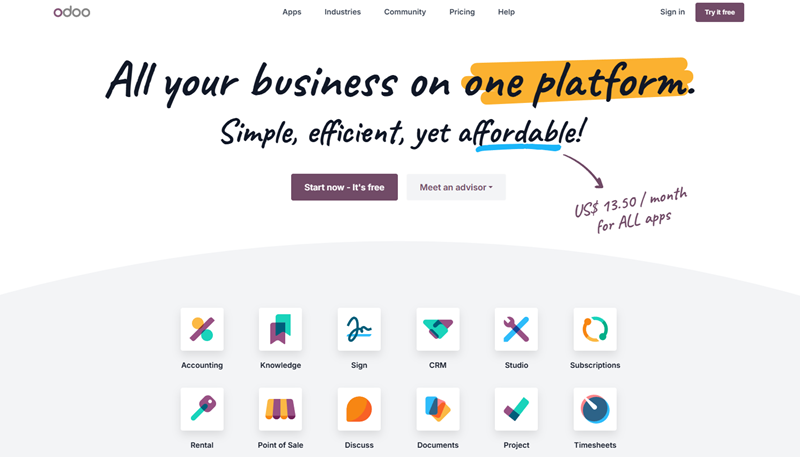
So, what exactly is it? Odoo is a modular ERP (Enterprise Resource Planning) and CRM system. Unlike legacy software that feels clunky and disjointed, Odoo operates on a “one app for every need” philosophy. All their modules, from Inventory and Accounting to eCommerce and Point of Sale, communicate perfectly with one another.
Who is this for? Honestly, the scope is huge. Odoo serves everyone from one-person shops to huge enterprises. I’ve seen it used effectively in retail, manufacturing, and even non-profits. If you are a Micro business needing simple invoicing, or a large manufacturing plant needing complex supply chain management, Odoo has a configuration that fits. However, as we will discuss later, just because it can fit, it doesn’t always mean it’s the easiest path.
Impressive Features of Odoo Software
Now, let’s dive into the amazing features that Odoo boasts, and you can take advantage of them.
Apps for Any Industry
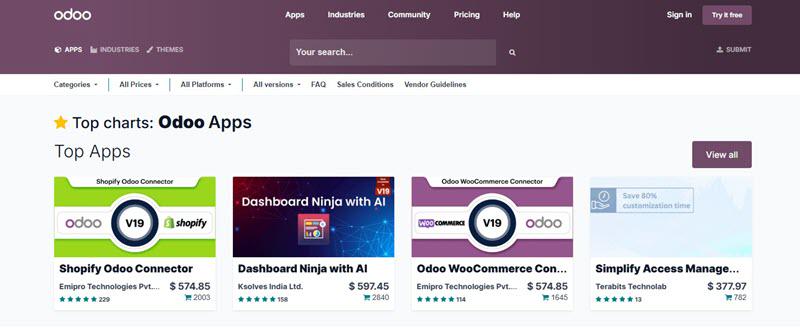
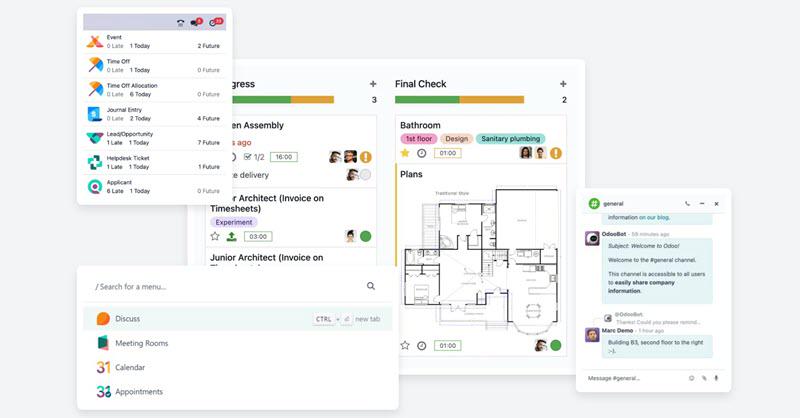
The scale of Odoo’s ecosystem is honestly pretty wild. We aren’t just talking about a handful of tools. There are over 40,000 apps out there. It feels less like an app vendor and more like an open marketplace where developers from all over the globe pitch in to solve niche problems.
Need a Shopify Connector or a Dashboard Ninja with AI? It probably already exists. Many are free, others are paid to be used, but the point is, you don’t have to wait for the core team to build everything. You’ve got the basics like CRM, Accounting, and Inventory, but the rest is a total “choose-your-own-adventure” Lego stack.
Open-Source Odoo Community
One thing I appreciate about Odoo is its commitment to open source. They offer two distinct versions: Odoo Community and Odoo Enterprise. The Community edition is completely free and open-source. This is a massive win for tech-savvy businesses or developers who want to download the source code and host it themselves without paying licensing fees.
While the Community version is powerful, it is stripped of some custom features that tailor to your needs. It includes the core logic for Sales, Inventory, and Invoicing, but lacks the polished mobile app, accounting automation, and the Studio customization tool found in Enterprise. Anyway, for a business that doesn’t need total control and has a limited IT budget to maintain a server, the Community edition provides a robust, no-cost foundation that few competitors can match.
Customization and Integration
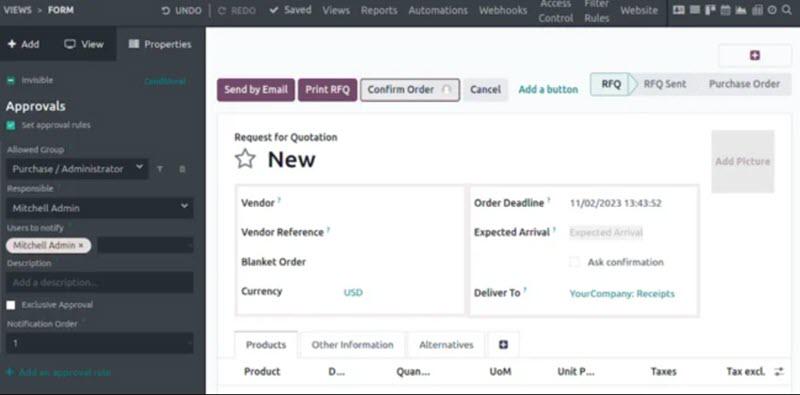
If you pay for the Custom version, you get Odoo Studio. This lets you change how the software looks and works with a little bit of code writing. Also, you can easily add fields or set up automatic emails when a sale happens.
When it comes to connecting things, Odoo is great because everything is already linked. You don’t need extra tools to make your online store connect to your inventory. It’s all one system. If you do need to connect to other software, Odoo handles that too. It’s built to fit your business, not force you to change your habits. Also, it allows creation, so you can create a no-code app by yourself in the Studio.
No Vendor Lock-In
In the SaaS world, we often fear getting trapped in a system where we can’t get the data out. Odoo prides itself on being “No Vendor Lock-In”. Because the core software is open-source, you technically own your system logic if you are on the Community version.
Even with the Enterprise edition, you have access to your data in the PostgreSQL format, and the ability to switch hosting providers. You aren’t forced to use Odoo’s cloud, and you can host it on-premises or on your own private cloud. This freedom gives business owners peace of mind. If Odoo the company were to disappear tomorrow, the community and the code would survive, meaning your business operations wouldn’t instantly collapse.
Pricing and Plans to Choose from
If you pay for each app, there is no doubt that your bill will explode. Now, Odoo cuts the cost savings based on the average price per user for each app. This will save you a fortune. Here is how the pricing breaks down:
- One App Free: This is their “foot in the door.” It costs zero forever for unlimited users, but the catch is you’re locked to just one app.
- Standard Plan: Costs about $13.50/user/month with yearly billing. This gets you every app on Odoo Online. It’s the sweet spot for businesses that don’t need to mess with the code.
- Custom Plan: Costs about $20.40/user/month with yearly billing. You get all the apps plus Odoo Studio, Multi-Company features, and API access. This is the one you need if you want to host it yourself or use Odoo.sh.
Pros and Cons of Odoo You Should Learn
No software is perfect. While Odoo is a powerhouse, it has distinct personalities depending on how you use it. Let’s look at the advantages and the inevitable downsides you need to be ready for.
Benefits of Odoo
- Integrated and Comprehensive: The biggest selling point is the ecosystem. With over 40,000 apps available, you rarely hit a wall where the software “just can’t do that”. Whether you need fleet management, lunch ordering for employees, or complex manufacturing PLM, it’s all under one roof.
- Strong ERP and Financials: At its core, Odoo is a financial beast. It handles multi-currency, multi-company, and complex tax rules better than most lightweight tools. If your business revolves around tight accounting and inventory margins, Odoo is incredibly strong here.
- Customizable (Low-Code): With Odoo Studio, you have “low-code” capabilities. You can tweak the UI and create custom reports. It strikes a balance between a rigid off-the-shelf product and a completely custom-built solution.
- Scalable: You can start with just the CRM module and, five years later, run your entire multinational factory on it. Odoo scales with you, meaning you won’t have to migrate data to a new system just because you grew.
- Cost-Effective: Compared to NetSuite or SAP, Odoo is a bargain. Getting an enterprise-grade ERP for under $30 a user is aggressive pricing that provides high value for money.
Drawbacks of Odoo
- Complex Implementation: Odoo is not “plug and play”. Setting it up requires a deep understanding of business workflows. If you don’t know how to configure the Chart of Accounts or manufacturing routes properly, you will create a mess. Most companies end up hiring expensive Odoo Partners for implementation.
- Dependency on Development: While they claim “low-code”, Odoo Studio has limits. For deep customization, you need to know Python and XML. It is not a true “No-Code” platform where a marketing manager can build an app from scratch easily. You often become dependent on developers for maintenance.
- Inconsistent Support: There are users complaining that the support is not responsive. If you’re a free user, you may not get proper tech support in time.
- Not Ideal for All Large Businesses: While scalable, extremely large enterprises with legacy requirements might find Odoo’s database structure limiting compared to SAP HANA. It can struggle with massive data volumes if not optimized correctly on the server side.
- Potential for Hidden Costs: The license fee is cheap, but the “total cost of ownership” can be high. You have to factor in the cost of implementation partners, Odoo.sh hosting fees for custom branches, and maintenance hours for any custom code you write.
Best Odoo Alternative: Jodoo No-Code App Builder
If reading about “Python code”, “implementation partners”, and “server maintenance” gave you anxiety, you might not need an ERP. Instead, you might just need a flexible No-Code platform. This is where Jodoo comes in.
I consider it the best alternative to Odoo for businesses that need agility without the technical overhead. Unlike Odoo, which is a “Low-Code” ERP requiring developer knowledge for big changes, Jodoo is a true No-Code Application Builder. It allows anyone to drag and drop to create business apps, forms, and workflows.
It is significantly easier to learn. The BPM (Business Process Management) workflows are visual and intuitive. You don’t need to understand coding, and you are able to create your own app with ease. Better yet, Jodoo offers nearly 100 pre-built templates that you can install and use immediately.
Explore More Features of Jodoo:
- True No-Code: You can build a CRM or Order Management system just by dragging and dropping. No Python required.
- Cost-Effective: Jodoo offers a generous Free Version that includes unlimited apps and forms with up to 5 users. The paid plans start at just $12/month, which is cheaper than Odoo’s Standard tier.
- Visual Workflow: Setting up approvals and automation is visual. You can see the path your data takes, making it easy to optimize processes.
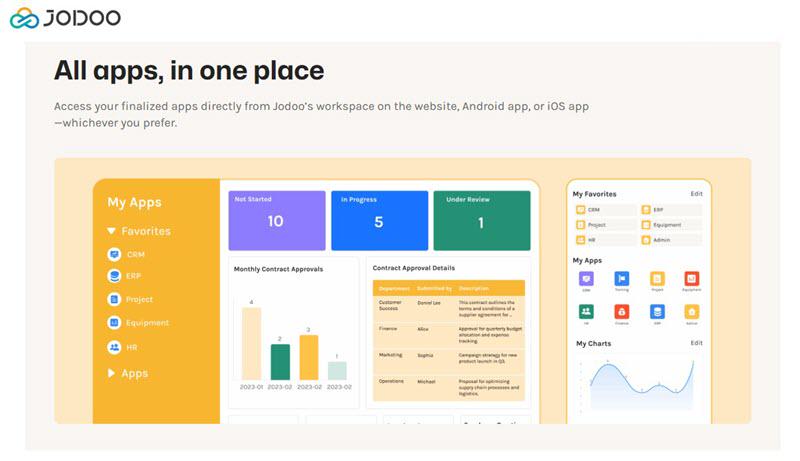
- Data Visualization: Jodoo has a powerful Dashboard feature, simpler than Odoo’s spreadsheet view, to visualize your report instantly.
People Also Read: Jodoo App Builder Full Review: from Features to Pricing
Final Word
There’s no denying that Odoo is a powerhouse. If you’re running a complex operation with heavy manufacturing needs and strict accounting rules, and you have the budget for a pro implementation team, it’s a solid bet.
But if you want something that gets up and running fast, saves you money, and doesn’t require a coding degree to customize, I’d seriously look at Jodoo. It lets you build the exact workflows and dashboards you need, without all the heavy workload slowing you down.
At the end of the day, the best app builder is the one your team won’t hate using. I’d say give the free versions of both a spin and see which one feels right.