Browse by category

Teams frequently encounter a central challenge when managing business data. Spreadsheets, such as Excel, offer ease of initial use but quickly reach functional limitations. Conversely, complete enterprise systems often prove expensive and challenging to customize. Consequently, many organizations look toward intermediate tools like Ragic.
Ragic’s core value proposition is clear: it provides the user flexibility of a spreadsheet alongside the foundational power of a relational database. This review will examine Ragic’s key features, analyze its pricing models, and discuss its limitations. Additionally, we will evaluate whether more recent alternatives offer a more streamlined experience for rapidly evolving teams.
What is Ragic? Beyond Spreadsheets
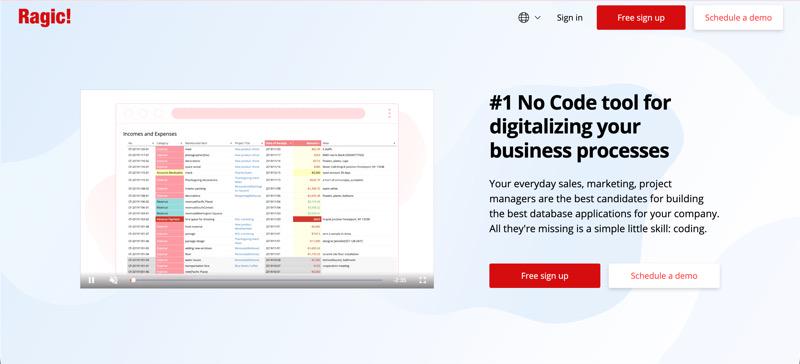
Ragic is a no-code, spreadsheet-style online database builder that lets you create custom business applications without SQL or programming. Its interface feels familiar to spreadsheet users. You define fields, enter data, and use formulas just like in Excel or Google Sheets, while the system stores everything as a structured database for greater control and reliability. Critically, the system operates as a structured and reliable database behind the visual layer.
Unlike a regular spreadsheet, Ragic runs as a relational database in the cloud, letting you model one-to-many relationships and link forms (e.g., connecting customer records to invoices). Changes update automatically. This serves non-technical teams who want to upgrade their spreadsheets and users needing control over workflows, but who cannot build a full custom system.
Core Features and Functionality of Ragic
Ragic has established itself in the no-code market by focusing on data integrity and structure. Below are the key features that define how the platform operates.
Building Custom Databases from Scratch
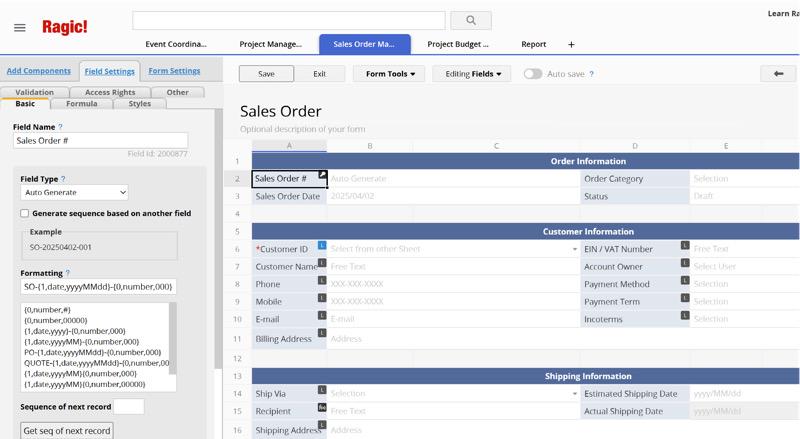
The primary appeal of the Ragic builder is its design method. You do not need to learn SQL or programming languages to create a schema. You simply open a blank sheet and define your fields by typing into cells. You can assign specific attributes to these cells, such as making them date fields, selection menus, or file upload buttons.
This feature allows for a high degree of customization. You build the tool yourself, so you do not have to use a fixed template. You can construct the exact fields you need for your specific workflow. This is true whether you need a simple contact list or a complex inventory management system with thousands of SKUs.
Automation and Workflow Capabilities
Besides storing data, Ragic also provides tools to manage how work moves through a team. Users can set up approval paths. For example, a record like an expense report or a vacation request is locked when it’s submitted and is automatically sent to a supervisor. Then, the manager can approve or reject the request, and the system sends automatic email notifications to everyone involved.
However, the workflow configuration in Ragic often mirrors traditional ERP systems. While powerful, it requires a logical understanding of database triggers. You can configure actions to update values in other sheets or send data to external applications via Zapier and HTTP APIs, allowing the database to act as a central hub for business operations.
Data Relationships and Integrity
A primary vulnerability of using Excel is the ease with which users can accidentally delete formulas or compromise data links. Ragic mitigates this risk by rigorously enforcing clear relationships among data points. Users can establish “one-to-many” connections; for instance, a single customer record can effectively link to numerous past sales orders. When a user updates the customer’s phone number in the main record, the system ensures the change reflects instantly across all related documents.
Ragic also incorporates detailed access control mechanisms. Administrators retain the authority to specify precisely what data each user may view or modify. A salesperson, for example, might be restricted to viewing only their assigned leads. Conversely, a regional manager may access all underlying data but possess editing privileges for specific fields only. This advanced level of control represents a substantial security improvement over merely sharing a password-protected spreadsheet.
Ragic Pricing
Ragic pricing is structured to scale with the complexity of the organization.
| Package Name | Price (USD/month) | Target Audience | Key Features/ Description |
|---|---|---|---|
| Free | $0 per user | Small businesses/ Individuals | Free all-in-one software. Includes 3 custom sheets, 1,000 records each, unlimited templates, and unlimited users. |
| Lite | $5 per user | Teams needing basic data storage | Tons of records and light customization. Includes 5 custom sheets, unlimited records, and unlimited templates. |
| Professional | $19 per user | Companies focused on data expertise (Most Popular) | Helps make every employee a data expert. Includes unlimited records, unlimited custom sheets, unlimited templates, and an On-premises option. |
| Concurrent Users | $499 per 10 concurrent users | Big companies with many users | For large businesses needing high volume access. Includes unlimited records, custom sheets, and templates. Also includes an On-premises option, unlimited named users, but limits simultaneous logins (additional concurrent seats billed separately). |
| Enterprise | $550 per 10 users(Each extra user is $55 per month) | Large businesses needing high control | Includes dedicated, managed VM, SSO, and SLA. Features unlimited records, custom sheets, templates, an On-premises option, and includes 10 users. A concurrent user option is available. |
Note: Prices are subject to change and should be verified on the official site.
Pros and Cons
To provide a balanced review, we must look at where the tool succeeds and where it struggles compared to modern competitors.
Where Ragic Shines
- Data Structure Flexibility: It is excellent for users who need to build highly specific, complex data structures that don’t fit into standard molds.
- Spreadsheet Familiarity: For finance and operations teams used to Excel, the grid-based interface feels familiar and reduces the initial shock of adoption.
- Developer-Friendly: It offers strong API support and scripting options for those with technical skills to extend functionality.
Where Ragic Falls Short
- Steep Learning Curve: While it looks like a spreadsheet, effectively using the relationship and design tools requires a certain level of IT logic or database knowledge.
- Outdated Interface: The user interface is functional but lacks the modern, clean aesthetic of newer tools, which can impact user adoption.
- Limited Visualization: Ragic’s ability to present data visually is rigid. Customizing dashboards, layouts, and charts is difficult compared to other platforms.
A Powerful Ragic Alternative: Jodoo No-Code Platform
While Ragic offers significant power for managing data structure, many businesses eventually encounter limitations concerning overall usability. User feedback frequently notes that Ragic’s interface can appear outdated, and its data visualization features are somewhat limited. When a team requires a system that is not only robust but also highly intuitive and visually flexible, Jodoo presents itself as a superior, modern alternative.
Jodoo addresses the specific pain points found in Ragic, particularly regarding ease of use and visual customization. It is designed for business users who need to deploy applications quickly without needing an IT background.
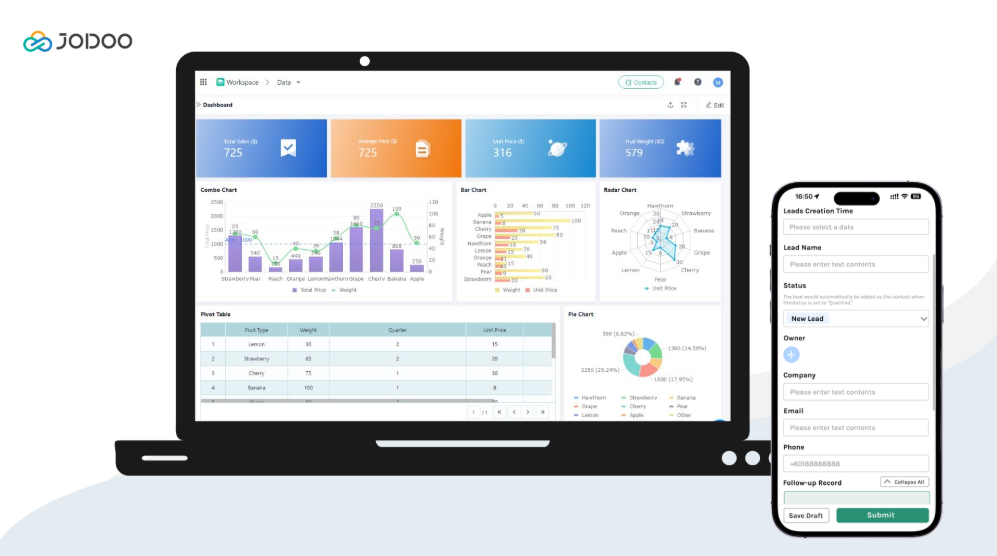
- Superior Visualization: Unlike Ragic’s fixed grid views, Jodoo natively supports a variety of modern views including Kanban boards, Gantt charts, and Galleries. This allows teams to visualize project progress and workflows instantly without complex setup.
- Intuitive Drag-and-Drop Builder: Jodoo features an intuitive, drag-and-drop builder for forms and dashboards. Users arrange layouts and incorporate elements simply by dragging them. This visual design offers a clear advantage over Ragic, where the interface design remains linked to the underlying spreadsheet cell structure.
- Advanced Document Generation: Jodoo facilitates professional document generation. It allows users to directly embed company logos, images, and signatures into print templates. Ragic also supports image inclusion via specialized Image Upload fields. However, Ragic’s template setup feels technical compared to the highly visual, drag-and-drop designers found in alternative systems.
- Mobile-First Experience: Jodoo offers a robust mobile experience that supports native features like barcode scanning and GPS positioning. This makes it ideal for inventory management and field operations, areas where Ragic’s support is more limited.
Comparison: Jodoo vs. Ragic
| Feature | Jodoo | Ragic |
|---|---|---|
| User Interface | Modern, Drag-and-Drop | Traditional Spreadsheet Grid |
| Target Audience | Business Users & SMBs | IT & Data-Heavy Users |
| Visualization | Flexible Dashboards & Charts | Fixed & Rigid Layouts |
| Mobile Capability | Excellent (Scan, GPS supported) | Basic Functionality |
| Document Print | Supports images, logos, and drag-and-drop designers | Supports images via image fields, but template setup is more technical |
If your goal is to build a system that your entire team will actually enjoy using and you do not want to sacrifice data power, Jodoo provides the modern experience that Ragic lacks.
Final Verdict
Ragic works best for users who already understand structured data. IT teams and analysts who prefer a spreadsheet-style setup will find it flexible and customizable, and once you learn its logic, it manages data relationships reliably.
For most businesses undergoing digital transformation, ease of use matters more. If you need clear visuals, an interface non-technical staff can learn quickly, and strong mobile support, Jodoo is the better choice. It offers solid database capabilities with a modern experience that encourages broad adoption.